
A migraine tracking app helps you log symptoms, spot patterns, and understand your own triggers so day-to-day migraine management feels less like guesswork. Migraine affects approximately 1 billion people worldwide, yet as of 2016 only 0.2% of sufferers were estimated to be using migraine apps, which tells you how many people are still trying to piece this together from memory instead of data (analysis of the underserved migraine app market).
If you've ever sat in a doctor's office trying to remember whether your last attack started on Tuesday or Thursday, whether nausea came before the pain, or whether bright light made it worse, you're not failing. You're trying to recall details from a neurological event while living a full life on top of it. That's hard.
A good migraine tracking app gives you a place to catch those details when they happen, or as soon as you're able. It can help shift you from retrospective thinking, meaning "what just happened?", toward proactive planning, meaning "what might be building, and what can I do about it?"
Migraine is not the same as a headache. Migraine can involve multiple phases and symptoms beyond pain, including prodrome (early warning symptoms before the main attack), aura (temporary neurological symptoms such as visual changes for some people), nausea, photophobia (light sensitivity), phonophobia (sound sensitivity), and postdrome (the washed-out feeling after the attack). Tracking helps you capture the whole picture, not just the pain score.
This article is for informational purposes and is not medical advice. Consult a healthcare provider for personalized guidance. If you have a sudden severe headache, headache with fever or stiff neck, new neurological changes, or headache after a head injury, seek immediate medical care.
Table of Contents
- When memory isn't enough
- What tracking gives you emotionally, too
- Fast logging lowers friction
- Environmental tracking changes the question
- Reports and forecasting are not the same thing
Feeling Lost in Your Migraine Journey?
You are sitting in an appointment, trying to answer questions you know matter. How often do attacks happen? What came first? Did sleep, stress, weather, hormones, or a missed meal play a part? The problem is not that you have never paid attention. The problem is that migraine can scramble memory, and a month of attacks can collapse into one blurry impression.
That experience can be extremely discouraging. If your symptoms have ever been minimized, it makes sense that you might second-guess yourself, even when your body is giving you real signals.
A migraine tracking app helps by giving those signals a place to land while they are still fresh. Instead of rebuilding the story afterward, you start creating a record you can use later. More importantly, that record can become a planning tool. Over time, you are no longer asking only, "What happened to me?" You can start asking, "What tends to happen before an attack, and what should I watch for this week?"
When memory isn't enough
Memory is selective. It grabs the worst attack, the most recent one, or the one that disrupted an important day. That is very human, but it can hide patterns. A simple log works like a trail map. One point on the map does not tell you much. Ten or twenty points can show where attacks cluster, what often comes before them, and which days may call for extra caution.
You do not need perfect tracking to get useful information. You need a system that still feels manageable when your head hurts, your eyes are sensitive, or your concentration is gone.
Practical rule: If logging feels like homework, you probably will not keep doing it. The right app should make patterns easier to notice, not add another task you dread.
Many people stop tracking because the process feels clunky, confusing, or too disconnected from daily life. That matters because the goal is not to build a flawless diary. The goal is to create enough consistent input that future decisions get easier. If an app also pulls in context like weather or pressure changes, it can help shift your thinking from hindsight to early warning.
If you want help building that habit, the ReliefMigraine blog with migraine education and self-tracking guidance can give you a clearer starting point before you decide what to log.
What tracking gives you emotionally, too
Tracking can also change how migraine feels emotionally.
When your app shows that several attacks followed poor sleep, a sudden weather shift, or a string of overstimulating days, the experience often feels less random. You are not blaming yourself. You are identifying conditions that may raise your risk. That is a meaningful difference.
Sometimes the pattern is obvious. Sometimes it stays messy for a while. Both outcomes are still useful, because you are working from something more solid than memory alone, and that gives you a better foundation for planning ahead.
How a Migraine App Helps You Become Your Own Detective
Think of a migraine tracking app as a detective's notebook. Your job isn't to prove a theory right away. Your job is to collect clues consistently enough that the pattern can reveal itself.
That mindset matters because migraine usually isn't caused by one simple thing. It can involve a combination of sleep disruption, hormonal shifts, stress, sensory overload, skipped meals, weather changes, and individual biology. A notebook, or app, helps you stop guessing from the loudest memory and start looking at repeated signals.
Start with the full attack, not just the pain
If you only log "bad headache," you miss a lot. Migraine is a neurological condition with phases that can start before the pain and continue after it.
A useful log often includes:
- Prodrome symptoms like fatigue, neck discomfort, food cravings, mood changes, or trouble concentrating
- Aura symptoms if you get them, such as zigzags, blind spots, tingling, or speech difficulty
- Headache phase details including pain location, intensity, nausea, photophobia, phonophobia, and duration
- Postdrome effects like brain fog, exhaustion, or that "hungover" feeling after the pain eases
You don't need to capture every detail every time. But the more consistently you notice the same details, the easier it becomes to separate your warning signs from your triggers and your after-effects.
Why consistent logging matters
Large-scale app data has shown just how much migraine tracking can capture when people log in real time. A multinational analysis using Migraine Buddy covered over 60,000 users, and included nearly 40,000 migraine episodes in Australia alone, showing that app-based tracking can reveal frequency, severity, and patterns at a scale that was previously very hard to capture (multinational Migraine Buddy study).
That big-picture finding matters for your day-to-day use, too. The same principle applies on a personal level. When you track attacks close to when they happen, you're more likely to notice details you would otherwise forget.
Here is a simple way to understand it:
What you logWhat it can help you noticeStart time and durationWhether attacks cluster at certain times of daySymptoms beyond painWhether your attacks follow a consistent patternPossible triggersWhich factors show up repeatedly before attacksWhat you triedWhether a strategy seemed helpful, unhelpful, or unclear
The app doesn't solve the mystery for you on day one. It gives you better evidence than memory can.
If you're new to this, start smaller than you think you should. A few reliable fields logged consistently are more useful than a perfect system you abandon after one rough week.
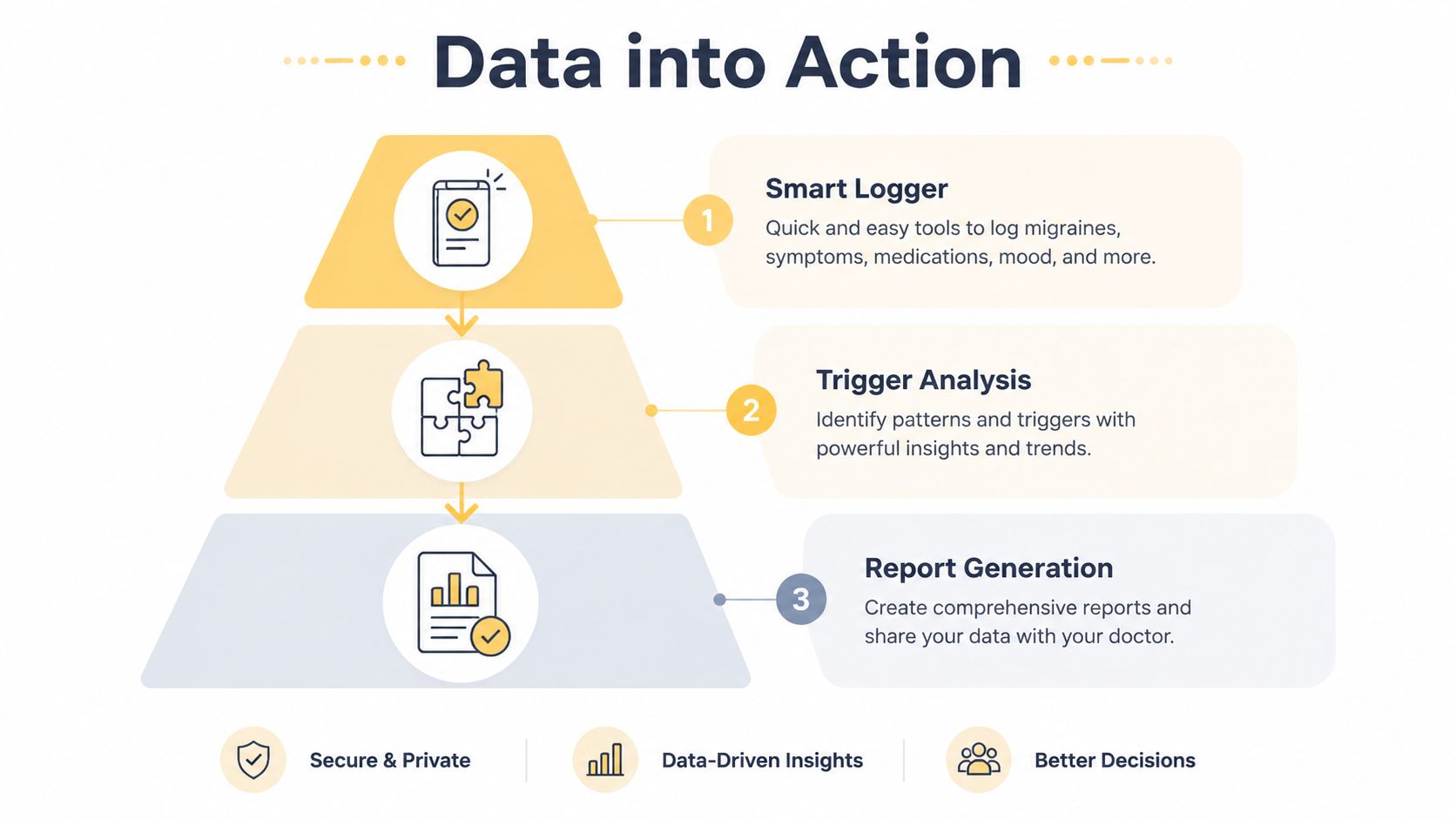
Core Features That Turn Data Into Action
The difference between a basic symptom diary and a strong migraine tracking app is what happens after you press save. Logging matters, but action comes from how the app organizes, analyzes, and surfaces what you've recorded.
Fast logging lowers friction
If an app asks too much of you while you're nauseated, light-sensitive, or foggy, your data will get patchy. That isn't a character flaw. It's basic usability.
Leading apps now use clinically validated logging systems and can integrate some device data automatically. Some also include barometric pressure alerts when a drop of more than 6 hPa per hour is detected, which has been linked with a 25 to 30% increased attack risk in susceptible users based on data from over 10 million logged episodes (Healthify review describing these migraine app features).
That kind of feature matters because it reduces the number of things you have to remember manually. The app can help supply context while you focus on the basics: What am I feeling? When did it start? How intense is it?
Environmental tracking changes the question
Proactive management starts here. Retrospective logging asks, "What happened before this attack?" Environmental integration starts asking, "What is changing around me right now that has mattered before?"
For some people, weather is background noise. For others, it keeps showing up in the data. The point isn't to assume weather causes every attack. The point is to watch whether certain environmental shifts repeatedly line up with your migraine pattern.
You might want an app that can surface signals like:
- Barometric pressure changes if weather shifts seem relevant for you
- Air quality and pollen context if respiratory irritation or seasonal patterns seem to overlap
- Sleep and stress entries so environmental data isn't interpreted in isolation
- Simple trend views that show whether these factors appear before attacks more often than on migraine-free days
If food is one of the areas you want to observe, it can also help to pair symptom tracking with a realistic eating routine rather than trying to cut everything at once. This guide to a migraine diet plan that focuses on practical patterns can be a useful companion.
Reports and forecasting are not the same thing
Reports help you look back. Forecasting tries to help you look ahead.
A report might show that your attacks often start after poor sleep and a pressure drop. A forecast tries to estimate whether today's combination of factors looks similar to the conditions that have preceded attacks for you before.
That's a promising shift, but it's important to stay honest about what current tools can and can't prove. There is still a meaningful evidence gap around prospective migraine forecasting. Published discussion of the field notes that there is minimal published evidence on the accuracy of hour-by-hour predictions in practice, which is part of why some clinicians remain cautious when patients bring forecasting tools into appointments (discussion of the clinical validation gap in migraine forecasting apps).
A useful mindset: Treat a forecast as a planning signal, not a guarantee.
That means a forecast can help you think ahead about light exposure, scheduling, hydration, breaks, or whether you want your usual coping tools nearby. It should not replace medical care, and it shouldn't pressure you into reading every blip as destiny.
How to Choose the Right Migraine Tracking App
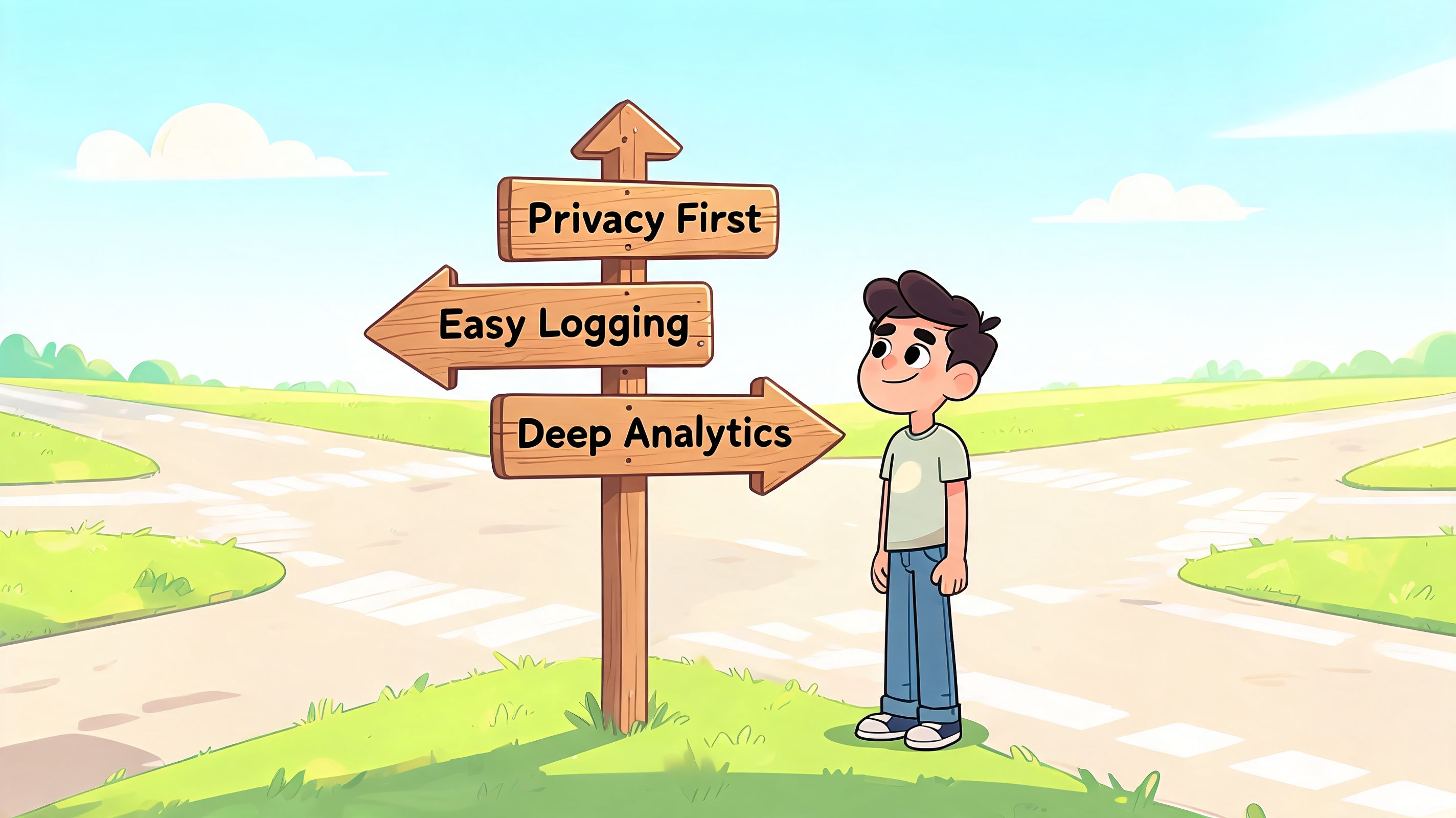
There isn't one right migraine tracking app for everyone. The better question is what you need the app to do for you when you're tired, busy, or already in symptoms.
Choose based on your real goal
Some people want diagnosis support and cleaner doctor visits. Others mainly want help identifying triggers. Others care most about planning ahead for work, school, caregiving, or commuting.
Goal-directed tracking research is useful here. Studies of prototype migraine tracking tools found that configurable reminders improved completion rates by 40% during acute phases, and that aligning tracking with a specific personal goal improved consistent use and the quality of insights generated (study on goal-directed migraine tracking).
So before you compare screens or designs, ask yourself what your actual goal is.
If your main goal is clarity
Choose an app that makes it easy to log core symptoms, duration, and likely triggers without too many taps. You want something calm and simple.
If your main goal is pattern finding
Look for analytics that compare attack days with non-attack days. Correlation is more useful when the app can show repeated overlap, not just isolated coincidences.
If your main goal is planning ahead
Look for tools that combine symptom history with environmental data and forecasting. Relief is one option that blends user logging with local weather, air quality, and pollen to generate hour-by-hour migraine risk forecasts on iOS.
A short checklist before you download
Use these questions like a filter:
- Can I log quickly on a bad day? If the app takes too many taps, you may stop using it when you need it most.
- Does it track my actual migraine experience? Some people need aura fields, vestibular symptoms, medication notes, or postdrome tracking.
- Can I export my data? A PDF or similar report is helpful when you change doctors or want to compare months.
- Does it support reminders without nagging me? Flexible reminders matter because migraine doesn't happen on a neat schedule.
- Do I understand the charts? Good analytics should clarify your pattern, not bury you in graphs.
- Does the app respect privacy? You should feel comfortable with how your health data is stored and shared.
If you won't use a feature during a real attack, it isn't really a feature for you.
One more practical point. Don't pick an app because it promises to tell you everything. Pick one that helps you notice the few things that are most actionable in your life.
Getting Started A Practical Guide to Your First Month
Starting a migraine tracking app can feel oddly high-pressure. People often think they need to build the perfect system on day one. You don't.
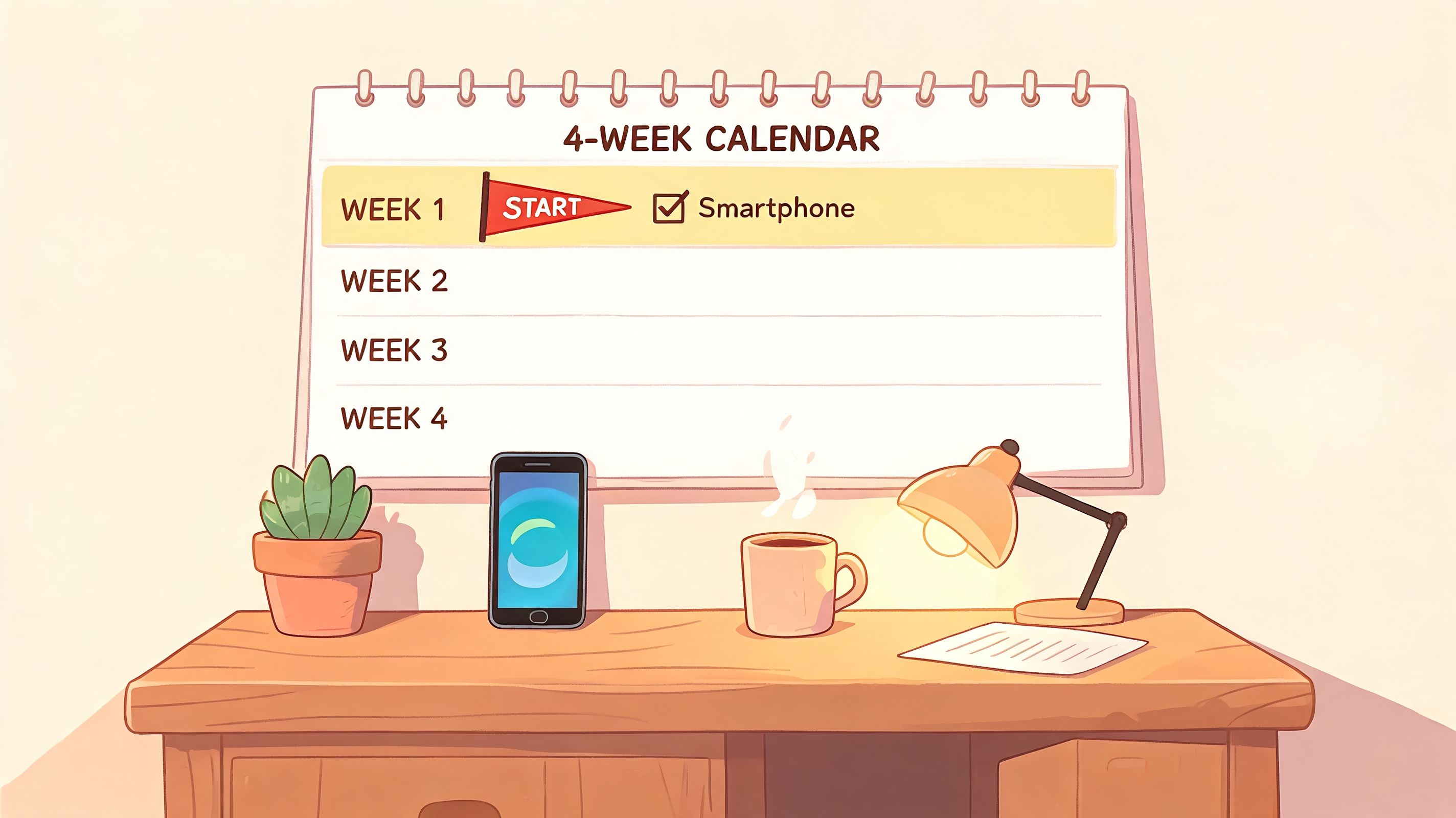
A better first month is simple, repeatable, and forgiving. Your only real job is to make logging easy enough that you'll still be doing it when the month ends.
Week 1 Build the habit
Start with the smallest set of fields you know you can complete. Date, start time, severity, a few major symptoms, and anything obvious that happened before the attack.
Don't wait for a "serious enough" attack to log. Mild attacks and almost-attacks matter too, because they teach you about your range.
Try this starter routine:
- Log when symptoms begin if you can, even if it's just a quick severity check-in.
- Add details later when the worst has passed.
- Record migraine-free days occasionally so your app has context, not just crises.
That last point is easy to miss. If you only log bad days, the app has less to compare against.
Week 2 Add context
Once logging the basics feels less awkward, add a few surrounding factors. Not everything. Just the ones most likely to matter for you.
A simple set could include:
- Sleep quality
- Stress level
- Meals or skipped meals
- Weather notes
- Medication or other responses you used
Keep the language plain. "Slept badly." "Worked under bright lights." "Skipped lunch." "Pressure dropped and I felt off." Your future self doesn't need polished notes. You need clues.
This kind of walkthrough can help if you want to see how others approach early tracking habits:
Weeks 3 and 4 Review without overreacting
By this point, you may start noticing patterns. Be careful not to lock onto the first theory too hard.
If you had two attacks after poor sleep, that might be meaningful. It also might be incomplete if those same days also involved stress, travel, bright light, or weather changes. Look for repeats, not single dramatic examples.
A calm review process looks like this:
At the end of the weekAsk yourselfLook at attack timingDo attacks cluster around certain times or routines?Review common symptomsDo early warning signs repeat before pain starts?Compare likely triggersWhich factors show up often enough to keep watching?Check what helpedWhat seemed useful, unclear, or not worth repeating?
Don't chase certainty too early. Chase better questions.
If your app includes reminders, use them thoughtfully. A reminder that nudges you at the right time can help maintain consistency. A reminder schedule that's too aggressive can become background noise fast.
Sharing Your Insights with Your Healthcare Team
Tracking becomes much more useful when it improves the conversation with your doctor, neurologist, or headache specialist. The app doesn't diagnose you. It helps you arrive with organized observations.
What to bring to an appointment
You don't need to print every entry. A short summary is usually more helpful.
Bring or export a report that shows:
- Frequency trends across the time period you tracked
- Typical duration and severity
- Common accompanying symptoms such as nausea, aura, photophobia, or phonophobia
- Repeated patterns you noticed, framed as observations rather than conclusions
- What you've tried and whether it seemed helpful, unclear, or poorly tolerated
If recovery time after attacks is part of your burden, it may help to review your own notes alongside this article on migraine recovery time and what postdrome can feel like before your visit.
A useful phrase in appointments is, "Here are the patterns I noticed." That lands better than, "I figured out the cause." It leaves room for clinical judgment while still showing that you've done careful tracking.
How to talk about forecasts honestly
Forecasting tools are interesting because they can support planning, but they should be discussed with clear expectations. There is still a gap in published evidence on how accurate hour-by-hour migraine risk predictions are in real-world use, which makes this an important topic to raise openly with your clinician rather than presenting forecasts as established fact (published discussion of the forecasting validation gap).
That doesn't make forecasting useless. It just means the most responsible way to use it is as part of a broader picture:
- your symptom log
- your environmental context
- your treatment plan
- your clinician's guidance
If a forecast repeatedly lines up with your experience, that can be a valuable practical tool for planning your day. If it doesn't, that's also useful information.
This article is for informational purposes and is not medical advice. Consult a healthcare provider for personalized guidance. Seek immediate medical care for sudden severe headache, headache with fever or stiff neck, new neurological symptoms, or headache after a head injury.
A good migraine tracking app can support this kind of proactive care by helping you collect consistent observations, review patterns, and bring more usable information into treatment decisions.
If you want a tool that combines fast logging with hour-by-hour risk forecasts built from your health entries and local environmental data, Relief is designed to support that more proactive style of migraine management.


