
A migraine log template is a structured tool to track your migraine attacks, symptoms, and possible triggers over time. Using one helps you and your doctor spot patterns that memory often misses, especially when migraine fog makes details blur together.
If you've ever sat in an appointment trying to answer questions like “How often is this happening?” or “What were you doing before the attack started?” and gone blank, you're not failing. Migraine is hard to remember clearly from the inside. A good log gives you something steadier than memory.
Table of Contents
Why a Migraine Log Is More Than Just a Diary
You know the moment. You're finally in front of a clinician, they ask for specifics, and all you can think is: I know this keeps happening, but I can't reconstruct the last three weeks. That's exactly where a migraine log helps.
Migraine affects an estimated 1.1 billion people worldwide and is the second-highest cause of years lived with disability, while the American Migraine Foundation notes that at least 39 million people in the U.S. live with migraine, which is one reason standardized tracking has become a routine part of management in clinical practice (Migraine Disorders on tracking attacks).
Why memory falls short
Migraine isn't just pain. It can involve aura (neurological symptoms such as visual changes before an attack), prodrome (early warning symptoms before pain starts), nausea, photophobia (light sensitivity), phonophobia (sound sensitivity), and postdrome (the drained, hungover feeling after the attack ends).
Trying to recall all of that later usually turns into guesswork.
A migraine log isn't about proving your pain. It's about giving your future self a record your migraine brain can't reliably create on demand.
When a log becomes medically useful
A structured log turns “I think stress may be involved” into “three of my last five attacks followed a poor sleep night and a high-stress workday.” That kind of pattern is more useful to you, and much easier to discuss with a clinician.
This article is for informational purposes and is not medical advice. Consult a healthcare provider for personalized guidance.
Seek immediate medical care for red flag symptoms such as a sudden severe headache, headache with fever or stiff neck, new neurological changes, or headache after a head injury.
The Building Blocks of an Effective Migraine Log
The most useful migraine log template is usually the one you can keep using. That means simple enough to fill in during a bad day, but structured enough to show patterns later.
Clinical guidance summarized in NCBI InformedHealth on headache diaries recommends starting with a few key fields such as frequency, duration, and severity, using a 1 to 10 scale or simple severity categories. That approach keeps the log practical instead of overwhelming.
Start with the fields that matter most
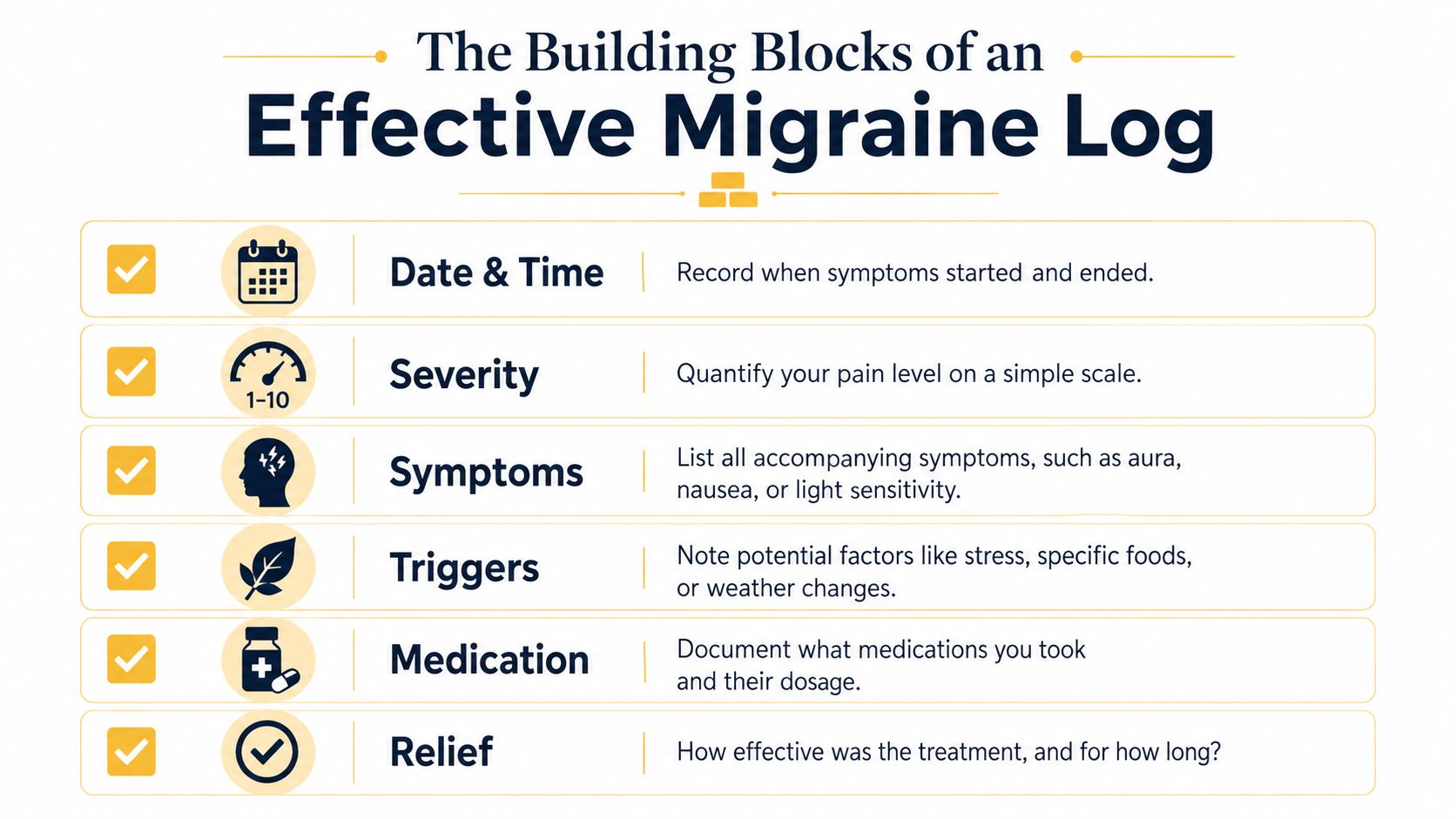
You don't need a giant spreadsheet on day one. Start with these core fields:
- Date and time: Write down when symptoms started and when they eased. Timing helps you spot patterns around sleep, work hours, weekends, or hormonal shifts.
- Severity: Use one pain scale consistently. If you rate one attack as a 7 and another as a 4, that comparison becomes meaningful over time.
- Symptoms: Go beyond head pain. Note aura, nausea, vomiting, dizziness, light sensitivity, sound sensitivity, smell sensitivity, neck pain, or brain fog.
- Medication or relief steps: Record what you took or did, and whether it helped. This can show whether a treatment seems to work quickly, partially, or not much at all.
- Suspected triggers: Include possibilities, not certainties. Stress, sleep disruption, skipped meals, weather changes, alcohol, strong smells, and screen overload may matter for some people.
- Function: Add a brief note on how much the attack disrupted your day. Could you work, drive, parent, or think clearly?
What each field helps you learn
Some fields explain the attack itself. Others explain the context around it.
| Field | What it tells you later |
|---|---|
| Start and end time | Whether attacks cluster at certain times |
| Severity score | Whether attacks are becoming milder, worse, or more frequent |
| Symptoms | Whether this is the same migraine pattern or a changing one |
| Medication response | Whether treatment timing or type needs discussion with a clinician |
| Triggers | What tends to show up before attacks |
| Function note | How much disability the attack caused |
Practical rule: If you're too wiped out to log everything, record three things first: when it started, how bad it got, and what you took.
That small record is far more useful than an empty page.
Choosing Your Template Printable vs Digital
There isn't one right format. There is only the format you'll use when your head hurts, your screen feels too bright, and thinking feels expensive.
When printable works better
A printable migraine log template is often the easiest place to start. Paper doesn't need a battery, doesn't send notifications, and can sit on your nightstand with a pen.
Printable logs are a good fit if you:
- Prefer low-tech tools: Writing by hand feels easier than tapping through screens.
- Need something visible: A paper sheet in plain sight can prompt you to fill it in.
- Want fewer fields: Simple layouts can reduce decision fatigue during an attack.
If that sounds like you, a printable headache diary PDF is a straightforward option to keep beside your bed or in a bag.
When digital makes life easier
Digital logs make sorting and reviewing much easier later. You can scan for patterns, search old entries, and avoid stacks of paper that disappear when you need them most.
A spreadsheet or app usually works better if you want:
- Searchable history: You can quickly find every attack with nausea or aura.
- Cleaner analysis: Dates, symptoms, and medication notes are easier to compare.
- Less handwriting friction: Fast taps may feel easier than writing during prodrome or postdrome.
The trade-off is simple. Paper is often easier in the moment. Digital is usually easier after the fact.
If you're deciding between them, don't overthink it. Choose the one that feels easiest to repeat for the next few weeks.
A Sample Migraine Log in Action
A blank template can feel clinical. A filled one feels human.
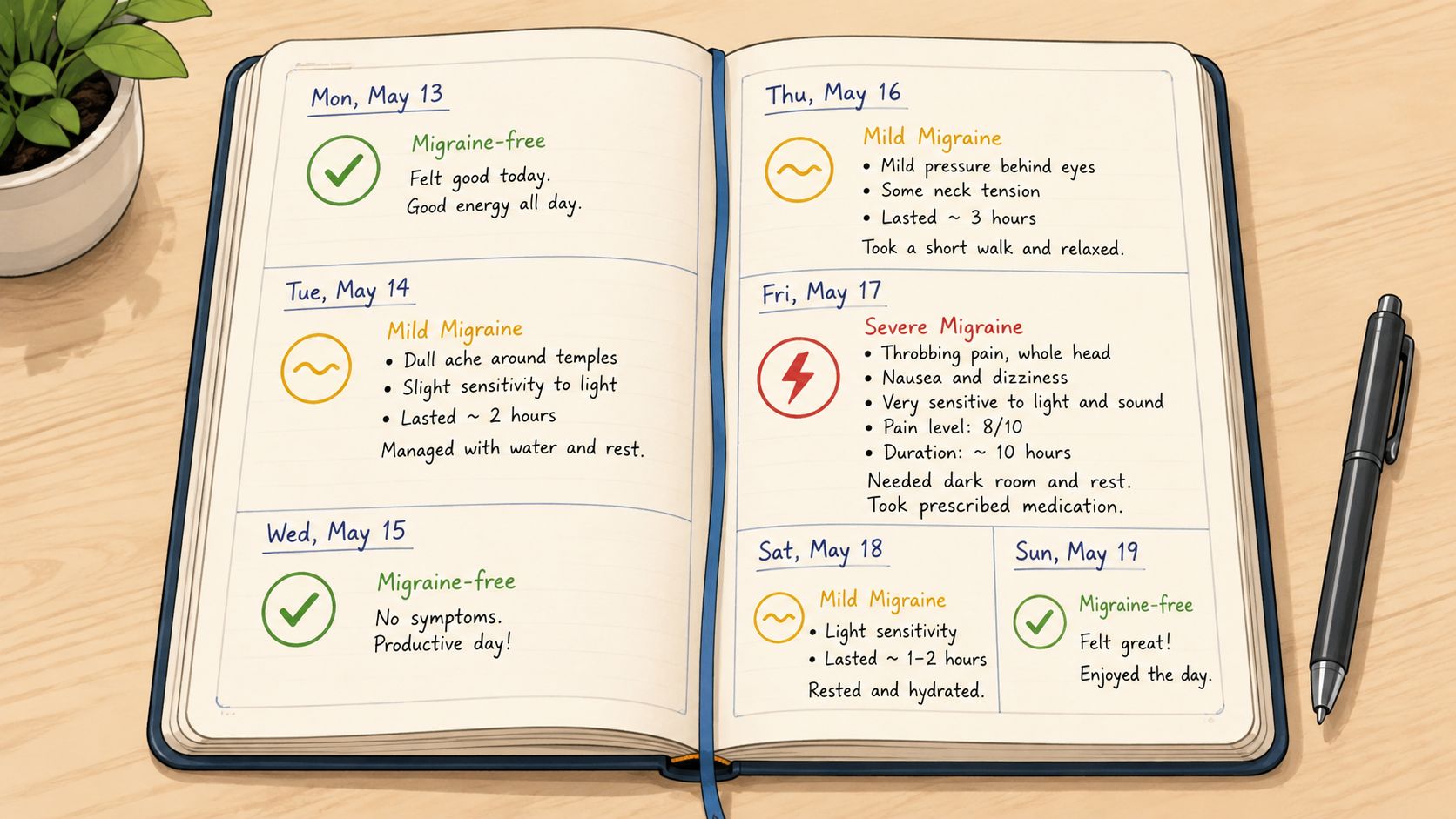
A realistic week of entries
Here's what a simple week might look like in practice:
| Day | What happened | What gets logged |
|---|---|---|
| Monday | No migraine | Slept well, normal meals, no symptoms |
| Tuesday | Felt off by afternoon | Fatigue, neck tightness, food cravings, worked late |
| Wednesday | Full migraine attack | Pain started 6:30 a.m., severity 8/10, nausea, photophobia, medication taken, partial relief |
| Thursday | Postdrome | Drained, foggy, low appetite, no active head pain |
| Friday | Mild symptoms only | Light sensitivity and pressure, severity 3/10, improved with rest |
| Saturday | Migraine-free | Outdoor time, irregular lunch, no attack |
| Sunday | Another attack | Woke early, poor sleep, storm moved in, pain 6/10 by midmorning |
Notice what this does. It captures more than “migraine on Wednesday.” It records the lead-in, the attack, and the aftermath.
A lot of people skip the days without pain. That's a mistake. Migraine-free days matter because they help you compare what was different.
The empty days aren't empty. They're your control group.
What this sample shows
A useful entry doesn't need certainty. You don't need to write “weather caused this” or “stress definitely did it.” You can note “poor sleep,” “deadline,” or “storm front moved in.”
That kind of honest uncertainty is better than forcing a conclusion too early.
If seeing the process helps more than reading about it, this short walkthrough gives a practical look at how people track patterns over time:
What matters most is consistency in the wording and timing. If you always log severity the same way and keep trigger notes brief, your entries become much easier to review later.
How to Make Logging a Sustainable Habit
The fastest way to quit migraine tracking is to make it feel like homework. If your template asks for too much, you won't keep using it on the days you need it most.
Keep the bar low enough to repeat
Aim for a routine that takes about two minutes. That usually means logging once symptoms start to settle, or doing a quick check-in before bed.
A sustainable rhythm looks like this:
- Use a minimum version: On rough days, just log time, severity, symptoms, and treatment.
- Fill in context later: Add sleep, stress, food, or weather notes when your brain comes back online.
- Keep wording short: Use recurring labels like “poor sleep,” “missed lunch,” or “light sensitivity” instead of long journal entries.
What to do when you miss days
Missing a few entries doesn't ruin the whole process. It just means life happened.
What doesn't work is the all-or-nothing trap. People often stop because the log is no longer “perfect.”
Try this instead:
- Restart on the next day. Don't backfill everything from memory if it feels fuzzy.
- Mark unknowns truthfully. “Not sure” is a valid entry.
- Simplify if needed. If you're dropping off, the template is probably asking too much.
A usable imperfect log beats an abandoned perfect one every time.
If you want this habit to last, make it gentle. Migraine already takes enough from you. Your tracking system shouldn't do the same.
From Data to Insight Analyzing Your Entries
A migraine log template becomes useful when you stop reading entries one by one and start looking across them. That's where patterns show up.
A major weakness of standard logging is that it's retrospective. A 2024 National Headache Foundation analysis found that 70% of people with migraine have trouble recalling specific triggers in the critical pre-symptomatic window, which helps explain why ordinary logs often miss what happened right before the attack (National Headache Foundation analysis referenced in verified data).
Questions to ask after a few weeks
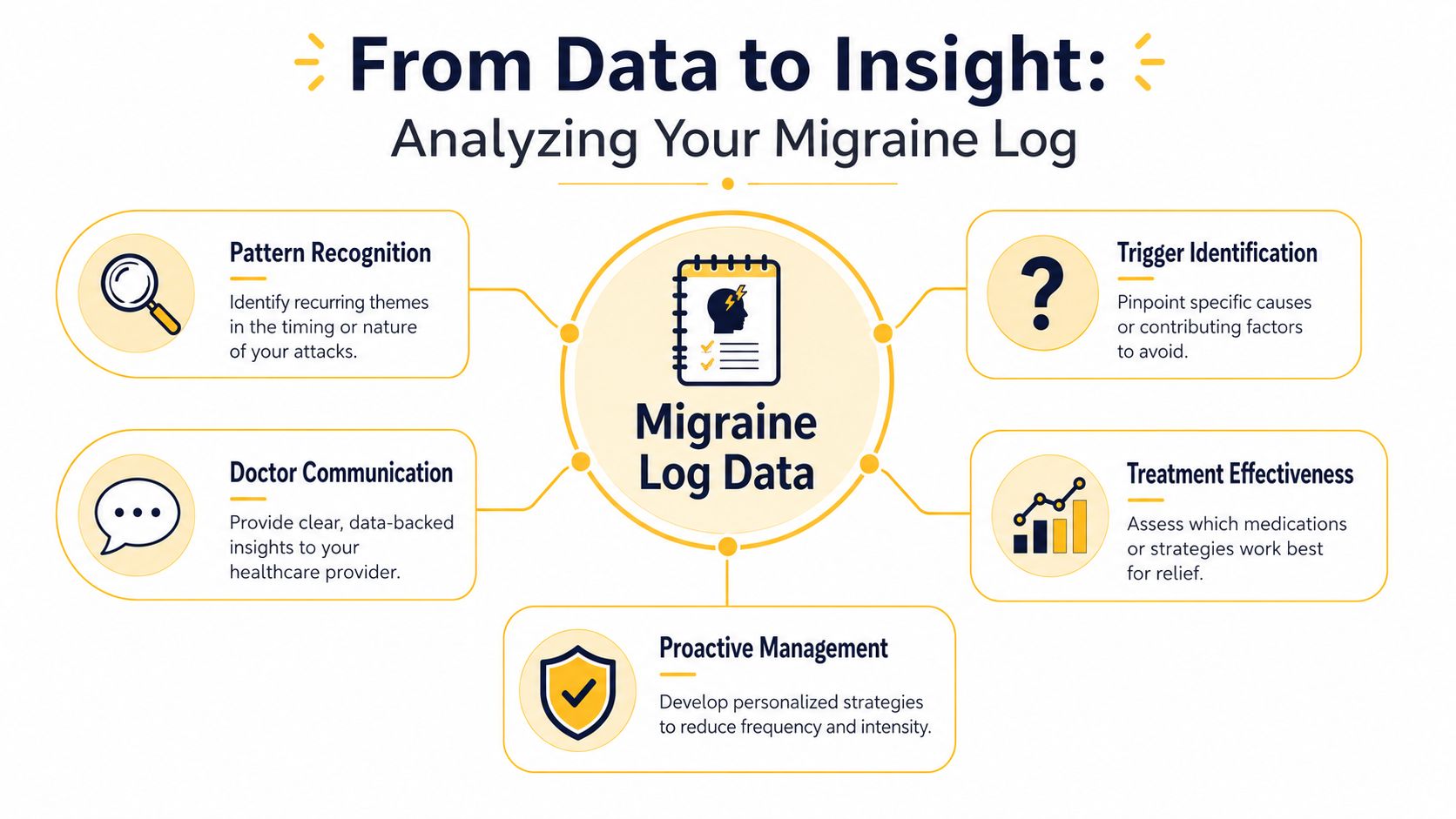
After a few weeks, review your entries with simple questions:
- Do attacks cluster on certain days? Weekends, travel days, deadline days, or days after poor sleep can stand out.
- Do symptoms follow a sequence? You might notice cravings, neck pain, or irritability before the head pain hits.
- Does treatment timing matter? Some people find early treatment seems more helpful than delayed treatment.
- Are there repeated trigger combinations? One trigger alone may not matter, but stress plus missed meals plus bad sleep might.
If you want a deeper digital approach, a migraine tracking app guide can help you think through what analysis features are worth using.
Where manual analysis starts to break down
Manual logs are still valuable. But they struggle with one specific problem: environmental context.
If you had an attack on Sunday morning, are you really going to look up barometric pressure shifts, air quality, humidity, and pollen exposure from the prior window and then compare that across months? Few would, and that's not laziness. It's too much work.
Paper and basic spreadsheets reach a ceiling. They record what happened. They don't easily tell you what was building before it happened.
If your log only helps after the attack, you're getting documentation, not forecasting.
That's the difference between tracking and anticipation.
Supercharge Your Log with the Relief App
Once you've felt the limits of manual tracking, automation starts to make a lot more sense. Not because paper is bad, but because some patterns are hard to see without help.
Independent research cited in the verified data shows that digital migraine logs with automated analytics can improve management success rates by 40 to 50%, and people using templates with those features reported a 25% reduction in total migraine hours per month within six months when logged attacks were correlated with automated environmental data (verified data summary referenced in this brief).
What automation changes
An app can do the part that individuals often avoid doing manually:
- Pull local environmental data automatically: weather, air quality, pollen, humidity, and pressure can sit alongside your symptom log
- Keep everything in one place: attacks, symptoms, medications, and possible triggers don't get split between paper notes and memory
- Look for recurring exposure patterns: instead of guessing, you can compare attacks against what was happening around you
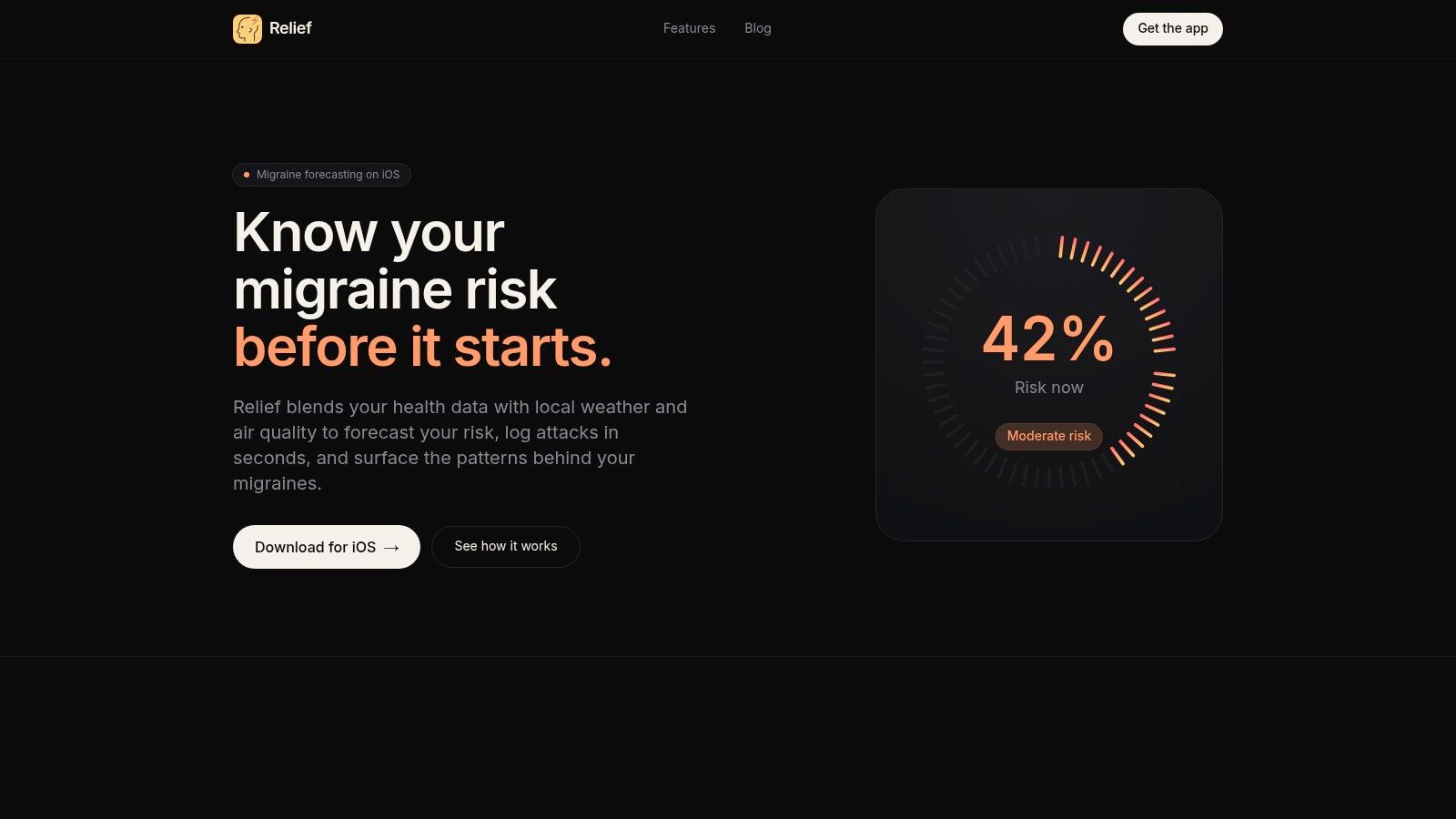
One example is Relief, which combines fast migraine logging with local environmental data and hour-by-hour risk forecasting. Used this way, an app isn't replacing medical care. It's helping you track consistently and recognize patterns sooner.
Why forecasting matters more than hindsight
A migraine log template's value isn't just proving that something happened. It's helping you plan around what may be building.
That might mean noticing that your attacks often follow poor sleep plus a pressure shift. Or that nausea-heavy attacks tend to start after a certain pattern of skipped meals and high sensory load. Those aren't universal rules. They're personal signals.
This article is for informational purposes and is not medical advice. Consult a healthcare provider for personalized guidance.
If you want a migraine log that goes beyond hindsight and helps you spot patterns before an attack fully develops, Relief can support that process with quick logging, environmental tracking, and personalized forecasts.


