How Relief works
You log what happens, Relief looks for overlap with the weather and your body, and every morning you get a forecast.
Three steps
Log what happens
Tap I feel something when it starts and Relief follows each stage, or add a past migraine later. It all lands on one timeline.
Relief looks for overlap
Your attacks are lined up against pressure, humidity, temperature swings, air quality, pollen, sleep, your stress signal and your cycle.
You get a forecast
Every morning, a score from 0 to 100, what’s driving it, the next 24 hours and the coming days.
A day with Relief
One screen for each moment.
Morning
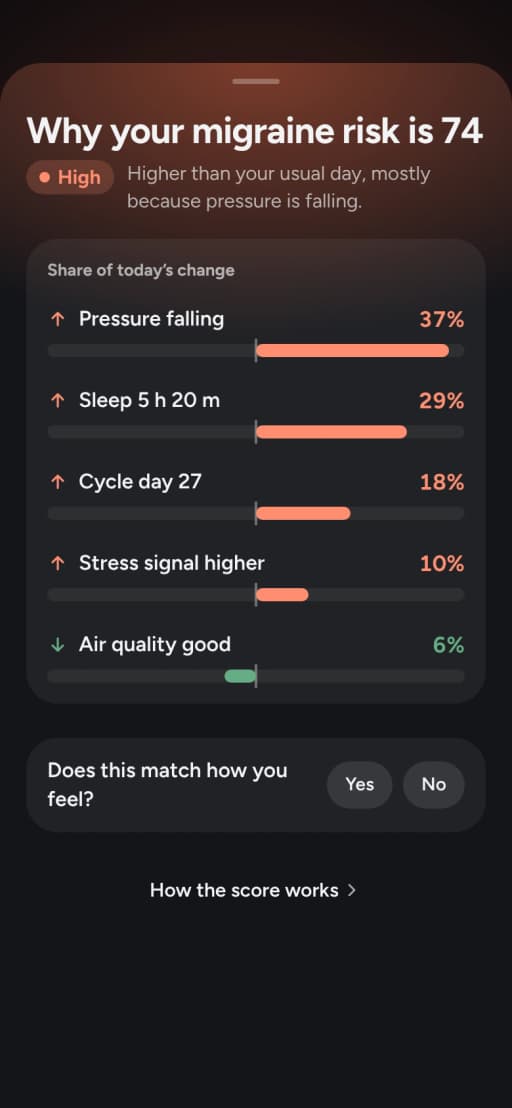
Your score, and why. Why this score shows each factor’s share of today’s change.
When something starts
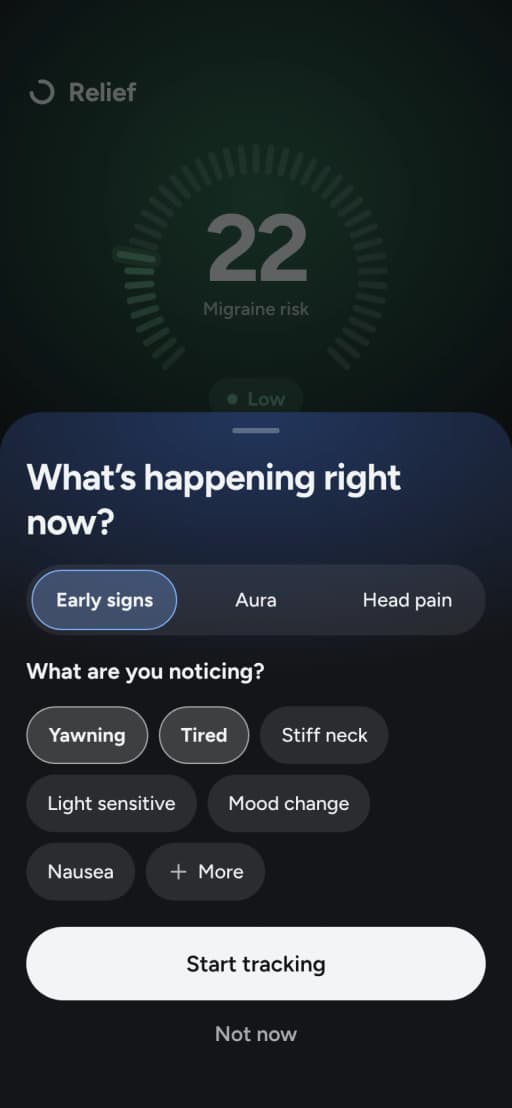
Tap I feel something. Relief follows each stage, and the timer stays on your Lock Screen.
Before the evening
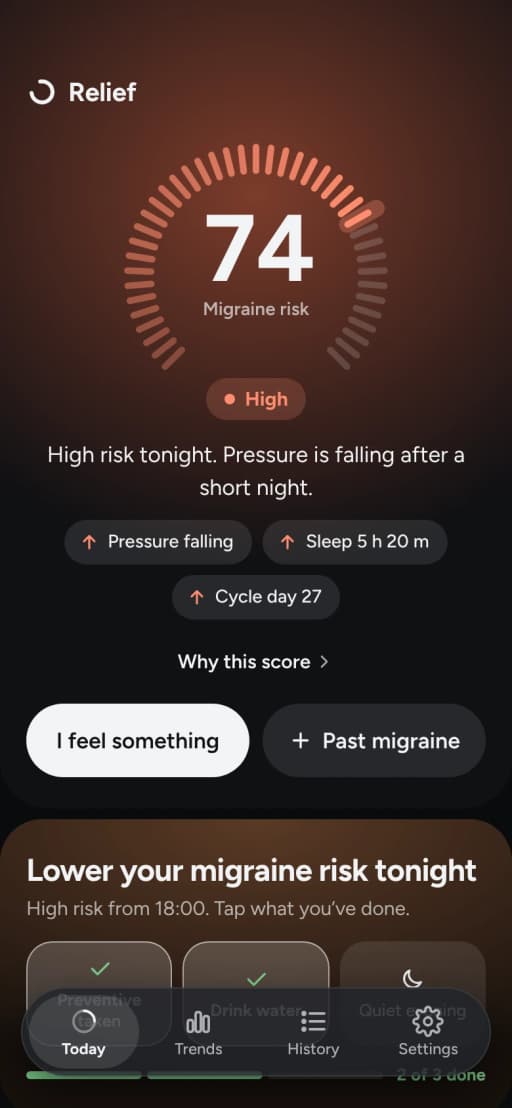
Plan ahead on higher-risk days: Relief lists what helps you, and you tick it off.
Each month
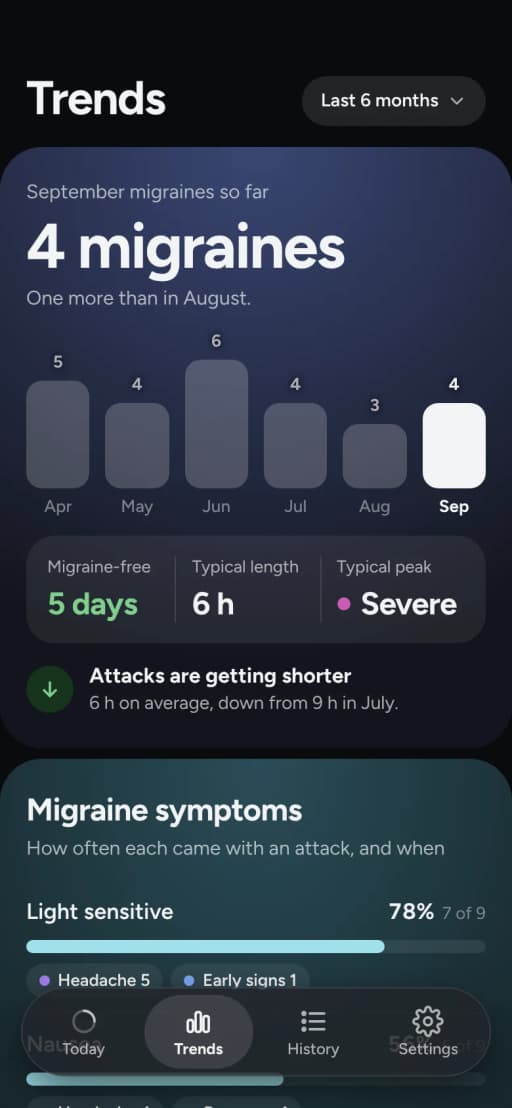
Trends, one insight a day, your History and a doctor report for the months you choose.
Questions
Help CenterDoes Relief work without Apple Health?
Yes. The forecast then uses the weather and what you log. Your sleep, cycle, heart rate and heart rate variability join in when you allow Apple Health.
Do I need to share my location all the time?
No. While Using the App is enough. Relief sends your location only to look up the weather and air quality near you, and doesn’t save it or keep a history.
Do I need an account?
No. Relief has no accounts: nothing to register, and nothing to delete on our side.
Can I send a report to my doctor?
Yes, with Premium. Settings › Export / Reports makes a PDF of your attacks, their stages, your medicines and what helped.
How do I delete my data?
Delete the app, and everything it keeps on your phone goes with it. On Android, Clear all data in Settings does the same. Delete my data has every step.
When does the forecast become mine?
Personal adjustments start after about 10 attacks or a month of regular use. After about 30 attacks over a few months, it rests mostly on your own patterns.
What if the forecast makes me anxious?
The score is a risk index for today, not the chance of an attack, and false alarms happen, more often in the first weeks. If checking it makes you anxious, turn off High-risk notifications in Settings and open Relief when you choose. If worry about attacks is affecting your days, talk to your doctor.
Which languages does Relief speak?
Eight: English, Dutch, French, German, Norwegian, Polish, Portuguese and Spanish.
Start tracking for free. Add the forecast with Premium.


4.5on the App Store
100K+people use Relief