Health Data Integration for Migraine Forecasting
Learn how health data integration powers migraine forecasting. Discover data sources, privacy tips, and how to manage integrations on iOS.
In this guide
- Why Your Migraine App Needs More Than Just Your Symptoms
- What Health Data Integration Means
- Data Sources That Power Migraine Forecasting
- Privacy and Security Considerations for Your Health Data
- Benefits and Limitations of Integrated Migraine Tracking
- How to Enable and Manage Health Integrations on iOS
- Putting It All Together for Better Migraine Management
You wake up, check your calendar, and wonder whether today will become a migraine day. You've recorded yesterday's pain, sleep, symptoms, and medication, but the picture still feels incomplete. Health data integration helps connect your personal migraine log with health, weather, and air-quality signals, giving a forecasting app more context than symptoms alone can provide.
That matters because migraine isn't just a bad headache. It can involve photophobia, meaning sensitivity to light, nausea, sound sensitivity, aura, and changes before or after the main attack. Your experience may also differ from another person's, whether you live with episodic, chronic, vestibular, or hemiplegic migraine. A connected record can help you notice patterns without asking you to remember every environmental or physiological change during an exhausting day.
This article is for informational purposes and is not medical advice. Consult a healthcare provider for personalized guidance.
Why Your Migraine App Needs More Than Just Your Symptoms
You log that an attack began in the afternoon, lasted several hours, and included throbbing pain and nausea. You note the medication you took and move on because you're trying to function. What you may not record is that humidity was rising, air quality had worsened, your sleep was disrupted, or your heart-rate pattern differed from your usual baseline.
Those signals don't prove that a migraine will occur. They can, however, add context to your own history. A forecasting app can compare what was happening around your logged attacks with conditions on migraine-free days, helping you distinguish a possible personal pattern from a trigger you've only suspected.
A migraine diary works best when it stays practical. The Migraine Trust recommends recording the date, day of the week, attack duration, severity, associated symptoms, medication taken, and extra context such as possible triggers or menstrual timing in its migraine diary guidance. Severity can be logged as mild, moderate, or severe, or with a 1–10 scale, so you don't need a complicated form.
Practical rule: Log what you can sustain. A short, consistent record is more useful than a detailed diary you abandon after a difficult week.
Health data integration acts like a bridge. Your symptom entry remains the human account of what happened, while connected sources may add sleep, heart rate, activity, menstrual-cycle information, weather, and air-quality context. The result isn't a diagnosis or a guarantee. It's a fuller timeline that can support planning and more focused conversations with a clinician.
For a plain-language overview of how Relief approaches migraine awareness and tracking, visit Relief's migraine support platform.
What Health Data Integration Means
A migraine app may receive “attack duration,” a wearable may store “episode length,” and a medical record may provide only a start time and an end time. These entries can describe the same event, yet software needs a shared structure before it can connect them reliably.
Health data integration brings information from separate sources into a form that systems can interpret and use together. It involves more than transferring a file. The receiving system must identify each field's meaning, recording time, owner, units, and relationship to other entries. For someone using Relief on iOS, that structure can connect personal symptom records with permitted health data, giving a forecasting tool a clearer timeline to examine.
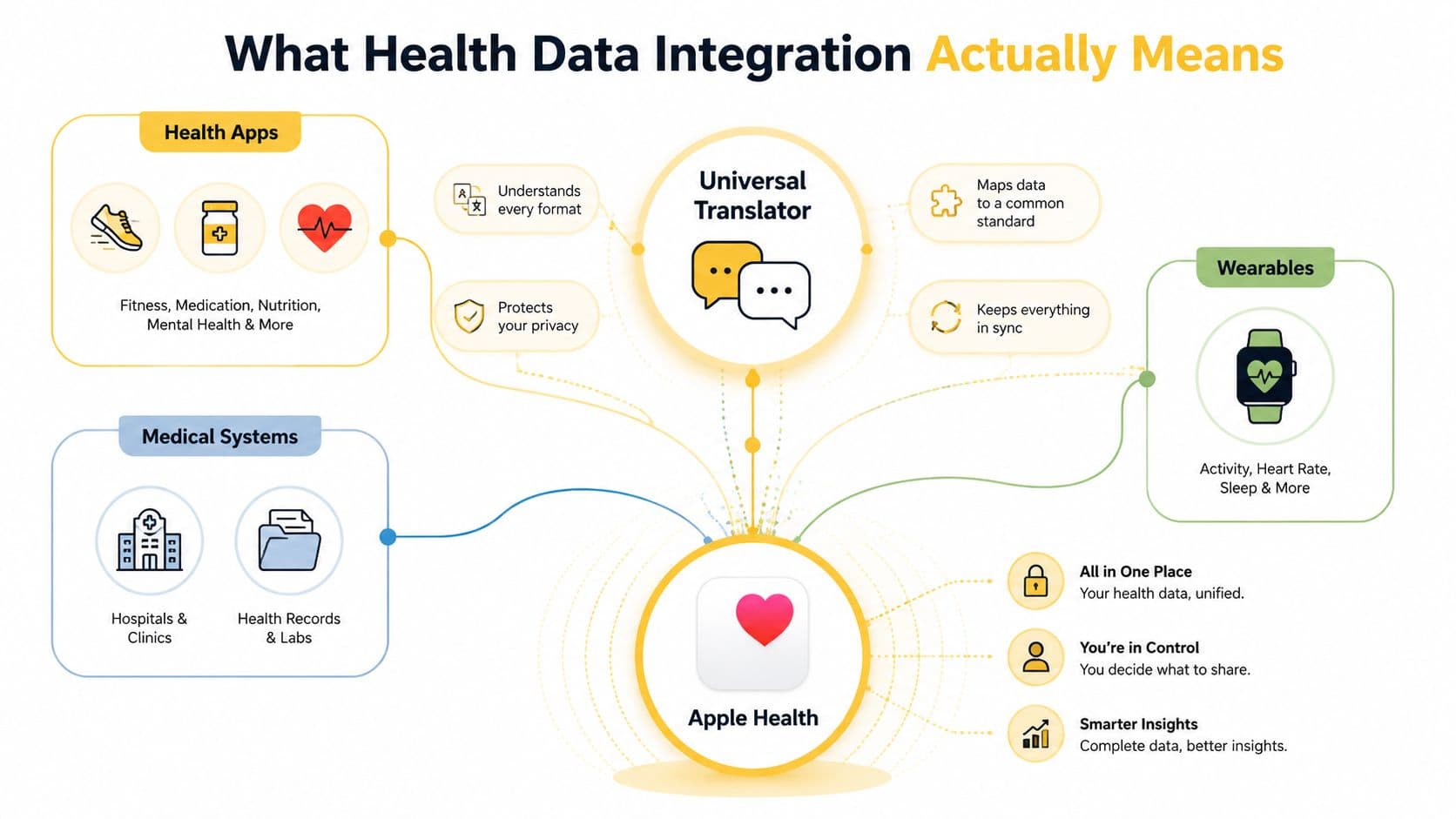
Exchange is not the same as integration
A system can send a record without making it useful. A hospital portal might transmit a summary, while a clinician still has to open another screen, interpret unfamiliar codes, or resolve duplicate entries. Integration places information in the appropriate workflow and preserves enough meaning for someone to act on it.
U.S. hospital data shows the difference. In 2025, 76% of non-federal acute care hospitals participated in all four key interoperability domains, electronically sending, receiving, finding, and integrating summary-of-care records. That compared with 23% in 2014 and 70% in 2023. A published health data integration analysis reports that the “integrate” domain rose from 40% in 2014 to 78% in 2025.
The four domains represent separate capabilities:
- Finding: Locating relevant information held by another system.
- Sending: Transmitting information electronically.
- Receiving: Accepting information from an external source.
- Integrating: Making the information usable inside a record, app, or workflow.
The gap affects migraine tracking too. In 2025, 92% of hospitals could send data electronically and 87% could receive it, while fewer could fully integrate it into records and workflows. A migraine app may access a heart-rate value or weather reading, but that value becomes useful only when the system places it in the correct time window and compares it with the person's symptom history.
Why FHIR matters
FHIR, or Fast Healthcare Interoperability Resources, gives healthcare systems and apps a structured way to exchange information. It combines HL7-defined resources with REST APIs, JSON or XML payloads, and OAuth authorization. A resource can represent a patient, observation, condition, medication request, or encounter, with references connecting related objects.
This modular design allows a system to request a relevant part of a record instead of moving an entire document. Reviews of FHIR describe it as a leading standard for addressing fragmented exchange and inconsistent harmonization, as explained in this peer-reviewed FHIR review.
FHIR does not make every connection automatically consistent. Systems may use the same standard with different codes, units, terminology, or interpretations. Semantic interoperability means that “sleep duration,” “pulse,” or “medication taken” keeps the same meaning wherever the information is used. Without that shared meaning, connected data can produce a neat-looking timeline that still misleads.
Data Sources That Power Migraine Forecasting
Forecasting becomes more useful when it combines three kinds of information: what happened to you, what your body was doing, and what was happening around you. Each source answers a different question.
Your symptom log tells the system what you experienced. Apple Health and permitted devices may contribute physiological or activity context. Environmental services can add weather and air-quality conditions. None of these signals independently establishes a cause, but together they create a more detailed timeline for pattern analysis.
A prospective smartphone-app study followed participants for 90 days, with daily entries covering potential triggers, premonitory symptoms, and migraine symptoms. The PubMed study on smartphone migraine tracking shows how regular app-based entries can help test whether self-reported triggers are associated with future attacks rather than treating every suspected trigger as confirmed.
| Data Type | Source | Role in Forecasting |
|---|---|---|
| Symptoms and attack details | Manual migraine log | Records onset, duration, severity, associated symptoms, medication, and context |
| Sleep and activity | Apple Health and compatible devices | Adds a timeline of rest, movement, and routine changes |
| Heart rate and heart-rate variability | Apple Health and supported sensors | Provides physiological context when permission is granted |
| Menstrual-cycle phase | Apple Health | Adds cycle timing as a possible personal pattern |
| Humidity, temperature, and barometric pressure | Local weather data | Compares environmental conditions with prior attacks |
| Air quality and pollutants | Environmental data services | Adds exposure context alongside symptom history |
| Pollen | Local environmental data | Helps examine seasonal exposure patterns where relevant |
Environmental signals need personal context
Weather-related triggers vary. A case-crossover study found that higher relative humidity was associated with higher odds of migraine headache onset in warm seasons, while traffic-related gaseous pollutants may have been associated with higher odds in cold seasons. The PubMed research on weather, pollution, and migraine onset supports combining environmental data with symptom records, rather than assuming one weather variable affects everyone in the same way.
Air pollution deserves similar care. A 2024 systematic review associated exposure to nitrogen dioxide, carbon monoxide, particulate matter smaller than 10 microns, and particulate matter smaller than 2.5 microns with migraine headaches. Evidence for ozone and sulfur dioxide was not conclusive, according to the systematic review indexed by PubMed.
The practical lesson is simple: don't label humidity, pollution, skipped meals, or stress as definite triggers after one attack. Record the exposure, record the outcome, and look for repeated relationships in your own history.
More data can still mean more uncertainty
Patient-generated data often arrives with inconsistent terminology, units, and timing. Reviews of real-world healthcare integration identify coding and terminology differences, fragmented ecosystems, and limited patient-engagement features as continuing barriers. HL7 FHIR, SNOMED CT, and LOINC can support integration, but they don't solve every semantic problem by themselves, as discussed in this review of semantic interoperability challenges.
That's why a useful forecast needs more than a large data collection. It needs clean timestamps, understandable categories, sensible permissions, and an interface that shows you what the signal means without overwhelming you.
Privacy and Security Considerations for Your Health Data
Migraine records can reveal sensitive information about pain, medication, sleep, work disruption, menstrual timing, and daily routines. You're right to ask where that information goes, who can access it, and whether you can change your mind later.
On iOS, Apple Health permissions let you decide which categories an app can read or write. You can allow access to some information while withholding other categories. That granular choice matters because a forecasting app may not need every health record stored on your iPhone.
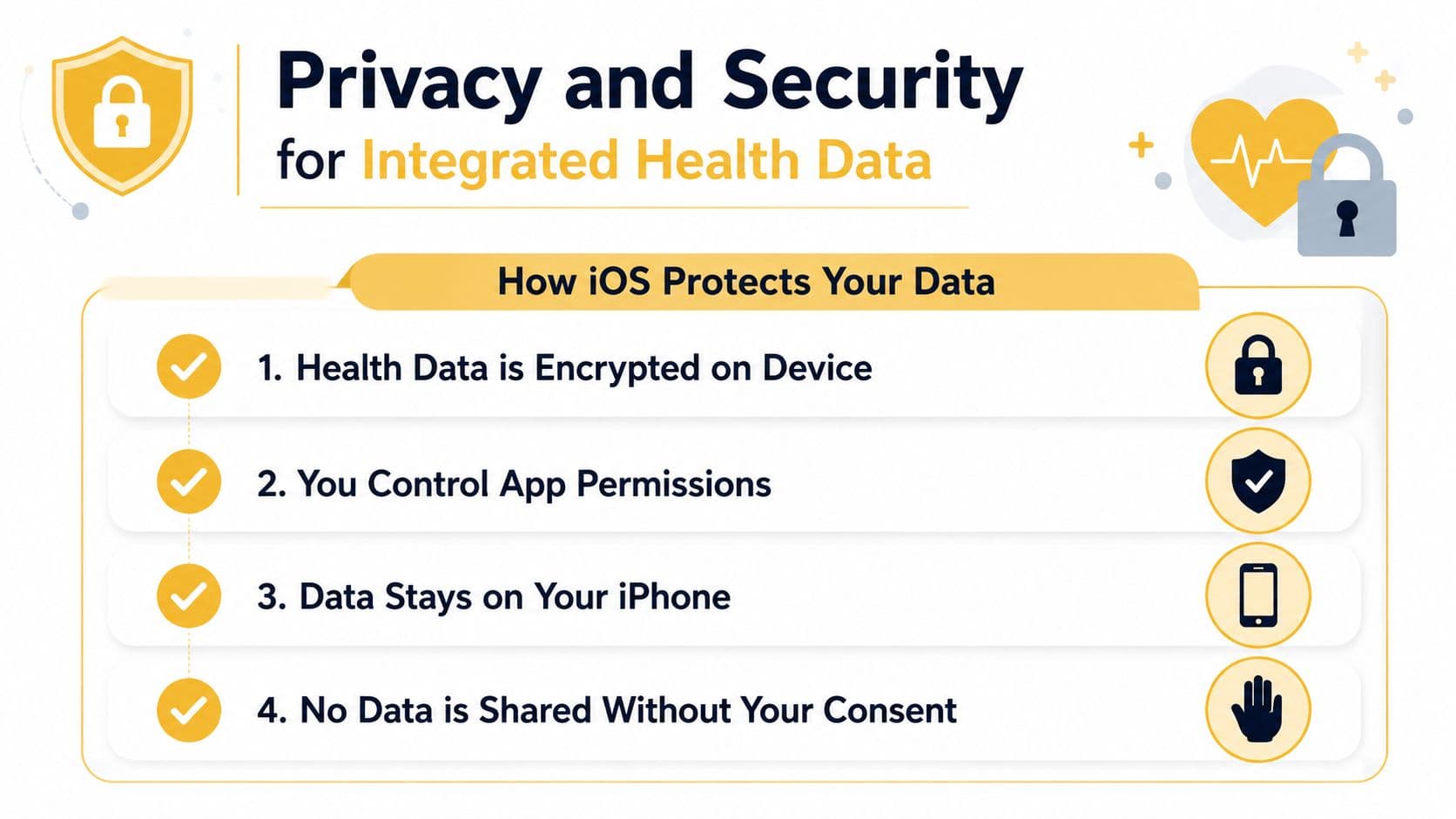
Questions to ask before enabling an integration
Start with the app's privacy policy. Look for plain explanations of what data the app collects, why it collects it, whether processing occurs on the device or through cloud services, how long data is retained, and whether information is shared with service providers or other parties.
Then review the permission request itself. Ask whether the requested categories match the app's stated purpose. An app that needs sleep and heart-rate context should explain why. You should also be able to revoke access through iOS settings rather than relying on an opaque support process.
Privacy check: Permission is not a one-time surrender. Review access periodically, especially after an app update or when you stop using a feature.
Encryption is another part of the picture, but the word alone doesn't answer every question. Check whether data is encrypted on the device and during transmission, whether account information is protected separately from health records, and whether the provider explains breach response and deletion procedures.
Data portability also matters. A trustworthy service should make its retention and export practices understandable. You deserve to know whether your records can be retrieved, corrected, or deleted under the service's terms.
For Relief's explanation of its approach to personal information, review the Relief privacy policy. Don't enable every category automatically. Give an app only the access that supports the feature you intend to use.
Benefits and Limitations of Integrated Migraine Tracking
Integrated tracking can reduce the burden of remembering everything yourself. It can also expose patterns that are difficult to spot in a paper diary, especially when an attack follows several interacting changes rather than one obvious trigger.
The value is practical, not magical. A connected record may help you plan around a higher-risk period, prepare questions for a healthcare appointment, or notice that a suspected trigger doesn't consistently appear before attacks.
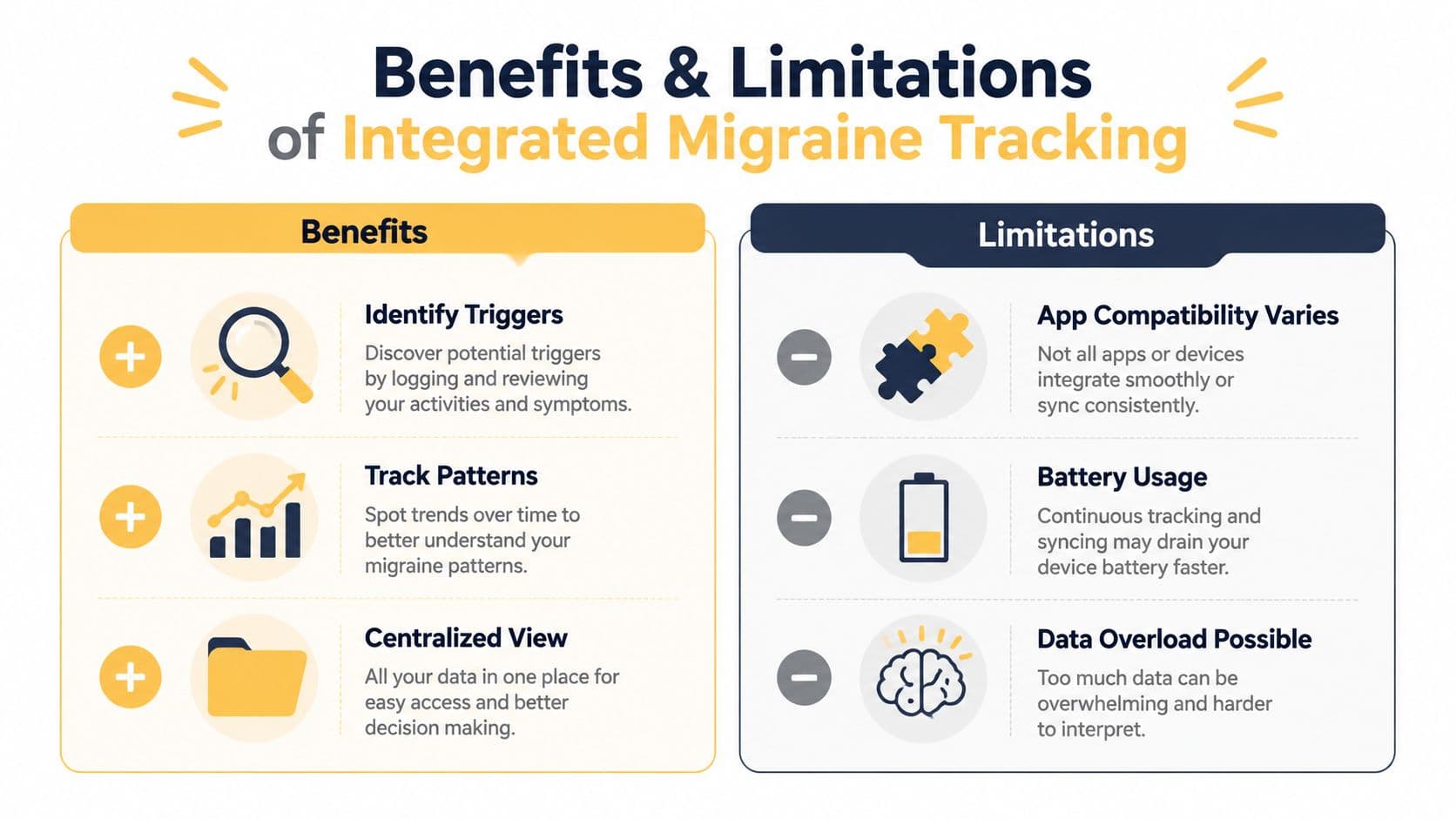
| Benefits | Limitations |
|---|---|
| Identify triggers: Compare logged attacks with weather, air quality, sleep, or routine changes. | Compatibility varies: Devices and apps may expose different categories or formats. |
| Track patterns: Review timing, symptoms, duration, and possible exposures together. | Battery and access matter: Sensors may stop recording or require permission changes. |
| Build a centralized view: Bring manually entered and connected information into one timeline. | Data overload is possible: More inputs can make patterns harder to interpret. |
| Support clinical conversations: Share clearer observations and questions with a healthcare provider. | Forecasts remain imperfect: A risk signal doesn't predict every attack or explain every cause. |
What integration can't do
Health data integration doesn't replace a diagnosis, treatment plan, or clinical judgment. It can't detect every trigger, and it can't know how severe an attack will become just because several signals line up.
Prediction also improves only when the data reflects your real experience. Missing entries, inaccurate timestamps, device gaps, and changing routines can all affect interpretation. A forecast should be treated as a planning aid, not a verdict.
A risk forecast can help you prepare. It can't tell you what you must do, and it can't rule out a migraine when the risk appears low.
Don't respond to a forecast by making major medication or lifestyle changes without professional guidance. If you notice a new pattern, worsening symptoms, or increasing attack frequency, bring your records to a healthcare provider. Seek immediate medical care for a sudden severe headache, a headache with fever or stiff neck, neurological changes, or a headache after a head injury.
How to Enable and Manage Health Integrations on iOS
You can set up an iOS health integration without opening access to your entire health history. The exact labels may vary by iOS version and app, but the decision process remains similar.
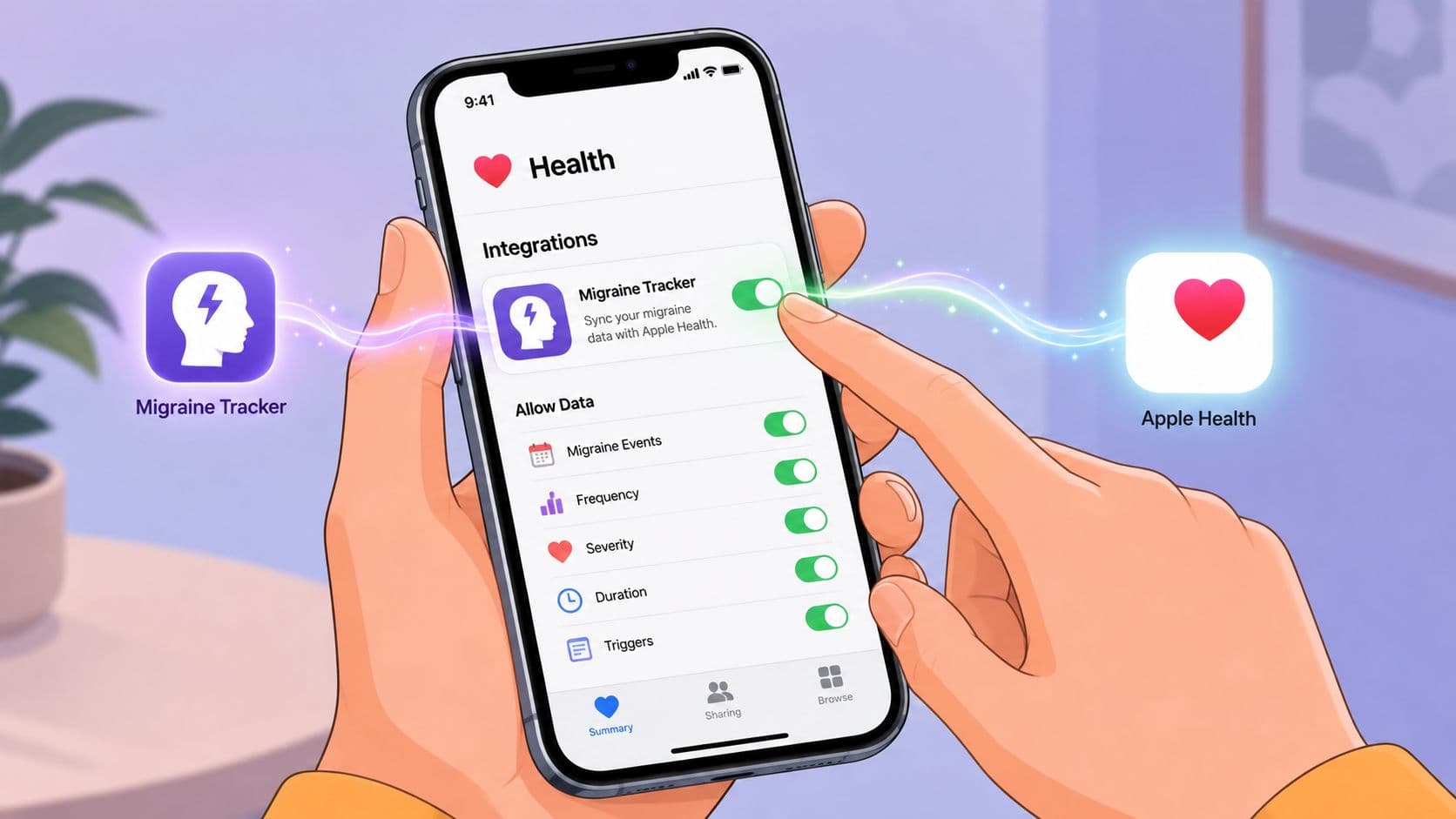
Start with the categories you understand
Open the Health app and review the data categories already available from your iPhone, Apple Watch, or other connected devices. Check whether sleep, heart rate, heart-rate variability, activity, and menstrual-cycle information are present and recent before connecting another app.
In the migraine app, open its health integration or data permissions screen. Read each request and approve only the categories you're comfortable sharing. If the app can write information, decide whether you want migraine entries stored back in Apple Health or kept only inside the app.
A simple setup checklist can prevent confusion:
- Review existing data: Confirm that your device is recording the categories you want to use.
- Grant selectively: Allow read or write access according to the feature you need.
- Check timestamps: Compare a recent Apple Health entry with what appears in the migraine app.
- Test one change: Enable a single category first, then verify that the app receives it as expected.
- Revisit permissions: Return to Health settings whenever you want to remove or modify access.
Some forecasting tools can combine Apple Health inputs such as menstrual-cycle phase, heart rate, and heart-rate variability with manually logged information after you grant permission. Weather-related information, including humidity, temperature, barometric pressure, wind, air quality, and pollen, may come from local environmental services rather than Apple Health.
If data doesn't sync, check that the source device has recorded a recent value, the app is updated, the iPhone has an internet connection where required, and the relevant permission remains enabled. A missing reading doesn't necessarily mean the integration is broken. The source may not have collected that category during the period you're viewing.
The video below provides a visual walkthrough of app syncing and may help you compare the on-screen steps with your own setup.
To revoke access, return to the Health app's data-access settings, select the connected app, and turn off the categories you no longer want it to read or write. You can also remove the app's access entirely if you decide the integration isn't useful.
Putting It All Together for Better Migraine Management
A symptom log tells you what happened. Health data integration adds the surrounding context, including physiological readings and environmental conditions that are difficult to record manually. When those timelines are organized around your own attacks, forecasting becomes more practical than a generic trigger list.
U.S. interoperability has moved from fragmented exchange toward broader data sharing, but the important distinction remains whether information is merely transferred or made usable. The same principle applies to personal migraine tracking. A connected app should help you interpret your record, not bury you under disconnected measurements.
This guide is general information, not medical advice, and it isn’t a diagnosis. Talk to your doctor about your own headaches.