How to Choose a Medication Tracking App for Migraine
Choosing a medication tracking app for migraine? Compare features, privacy, reminders, and integrations to find the right fit for your needs.
In this guide
- Why Migraine Tracking Demands More Than a Pill Reminder
- Core Features a Migraine-Focused Medication App Should Cover
- Reminders Versus Tracking History
- Privacy, Data Sharing, and Who Can See Your Logs
- Integrations That Actually Make the App Useful
- Setting Up Your App for Real-World Migraine Days
- Matching the App to Your Migraine Pattern
You're lying in a dark room, one eye half-open, trying to remember whether you took your migraine medication or only thought about taking it. A basic medication tracking app can remind you to take a dose, but a useful migraine tool must do more. It should connect medication timing with prodrome, aura, attack symptoms, triggers, and postdrome, then turn those entries into a clear history you can discuss with a clinician.
| What you need to manage | Look for in a medication tracking app |
|---|---|
| Preventive medication | Recurring schedules, dose history, missed-dose records |
| Acute or abortive treatment | Flexible reminders, as-needed logging, timing linked to attack onset |
| Rescue medication | Separate labels and easy repeat-entry options |
| Migraine symptoms | Severity, duration, photophobia, aura, nausea, and other symptoms |
| Trigger patterns | Custom categories for sleep, meals, hormones, weather, and sensory exposure |
| Medical appointments | Exportable summaries, charts, or clinician-ready reports |
| Sensitive health information | Clear storage, sharing, encryption, and deletion policies |
This article is for informational purposes and is not medical advice. Consult a healthcare provider for personalized guidance. If you have a sudden severe headache, a headache with fever or stiff neck, new neurological changes, or a headache after a head injury, seek immediate medical care.
Why Migraine Tracking Demands More Than a Pill Reminder
A reminder that vibrates during an attack may arrive too late, at the wrong time, or with no useful context. It might tell you that a scheduled dose is due, but it won't show whether your symptoms began during prodrome, the early phase that can precede pain, or whether light sensitivity continued into the recovery period.
Migraine isn't a generic headache. The International Classification of Headache Disorders describes distinct phases and symptoms, including photophobia, meaning hypersensitivity to light, and postdrome, the symptomatic phase that can last up to 48 hours after pain resolves and may include fatigue and cognitive difficulties. Tracking those phases separately gives your records more meaning than a single “headache” checkbox. The International Classification of Headache Disorders defines migraine-related terms and phases.
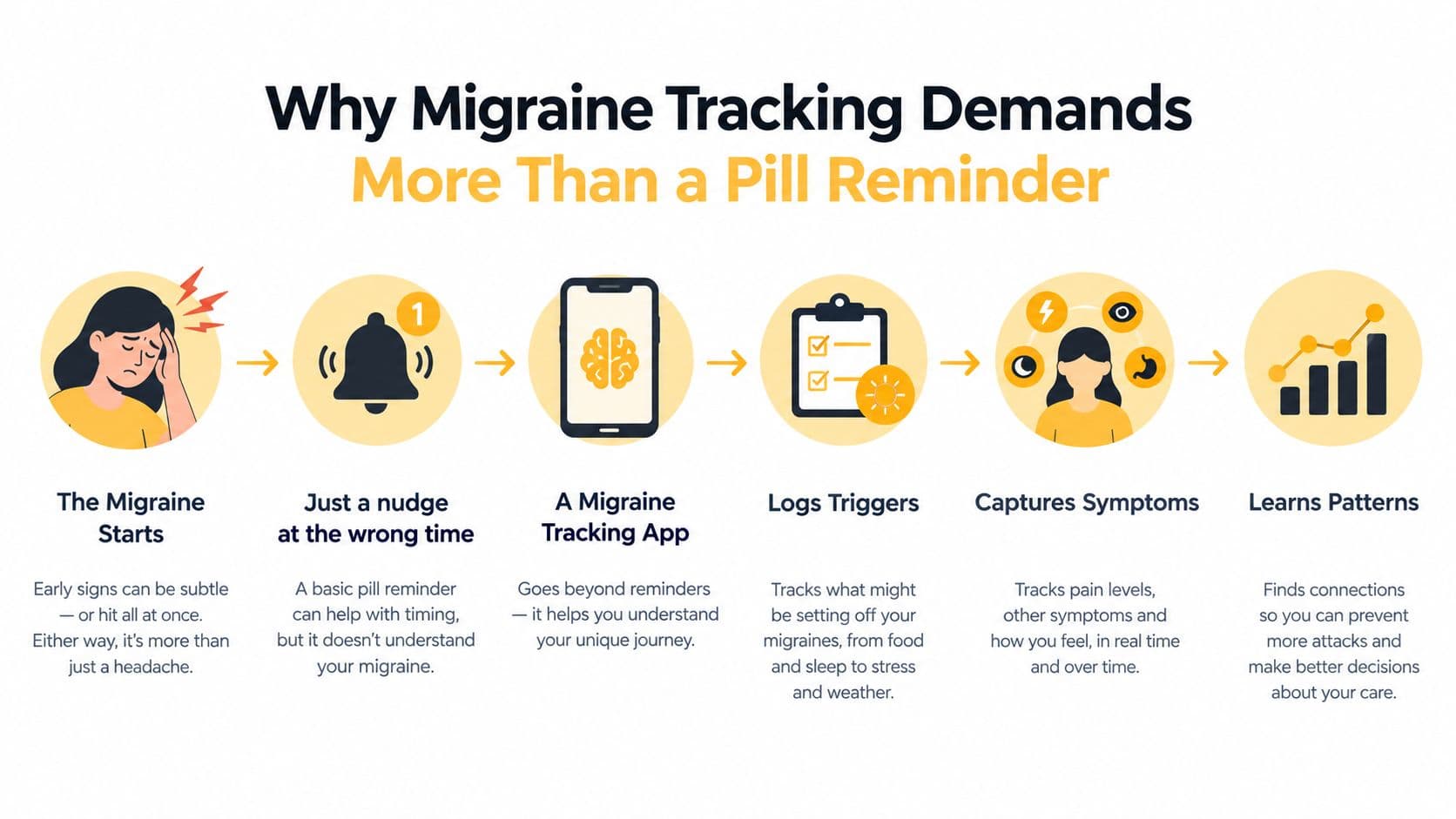
The question isn't only whether you took it
A standard adherence app asks, “Did you take your medication?” Migraine tracking asks a more useful chain of questions:
- What was the medication for? Separate preventive treatment from an acute, or abortive, treatment taken during an attack, and from rescue medication used when an earlier approach hasn't worked.
- When did you take it? Timing matters because a dose taken before or after symptoms become severe tells a different story.
- What happened afterward? Record duration, severity, accompanying symptoms, and whether another dose was needed.
- What surrounded the attack? Note possible exposures such as skipped meals, schedule changes, weather, strong light, or menstrual timing.
The Migraine Trust recommends a small, consistent diary containing the date, day of the week, duration, severity, accompanying symptoms, medication taken, and possible triggers or menstrual timing. It also suggests recording severity as mild, moderate, or severe, or on a 1–10 scale, along with whether a second medication dose was needed. Use the Migraine Trust's diary guidance to choose your essential fields.
Practical rule: If logging takes so long that you avoid it during a severe attack, the app has failed its most important usability test.
A migraine-focused tool should preserve the story around the dose. You want to know what you took, when you took it, which symptoms were present, and how the next phase unfolded. That context is what makes a history useful for identifying patterns and preparing for a medical appointment.
Core Features a Migraine-Focused Medication App Should Cover
Choose features by asking whether they answer a real question in your migraine routine. A polished interface is helpful, but it can't compensate for missing medication context or unusable reports.
The category has plenty of shallow options. A 2016 systematic review of 272 medication adherence apps found a median of only 3.0 features, with an interquartile range of 4.0, and only 18 apps included at least 9 of 17 desirable features. The most common capabilities were flexible scheduling, medication tracking history, snooze, and visual aids, which shows why a long feature list isn't the same as meaningful migraine support. Review the systematic analysis of medication adherence app features.
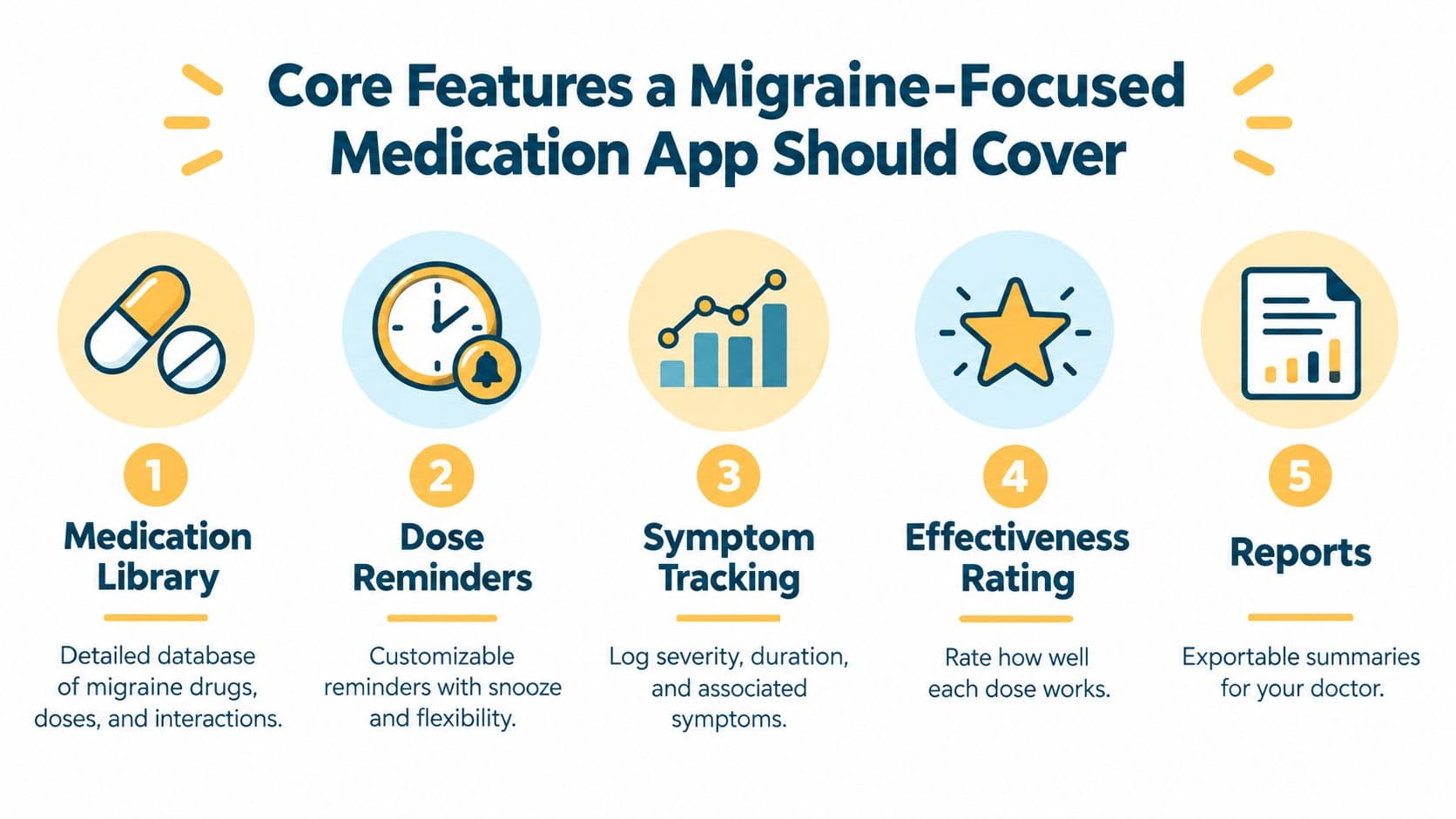
Start with medication context
A useful medication library should let you record the medication name, formulation, prescribed schedule, and relevant instructions without forcing every entry into the same daily pattern. You should also be able to label each item as preventive, abortive, or rescue.
That distinction matters in a weekly summary. “Medication taken” is too vague if you're trying to understand whether a preventive routine is consistent or whether acute treatment is appearing more often during difficult periods.
Tie doses to attacks
The app should let you add a medication entry from an attack log, or attach an attack to a medication entry. Look for fields covering:
- Severity and duration: Use a scale that you can apply consistently.
- Symptoms: Record aura, photophobia, nausea, dizziness, sound sensitivity, or cognitive symptoms when relevant to your experience.
- Effectiveness: Note whether the dose helped, partly helped, or didn't help enough.
- Follow-up: Capture whether another dose or rescue treatment was needed, without turning the app into a dosing guide.
A custom trigger library is equally important. Hartford HealthCare's practical diary uses categories covering hormones, diet, weather, schedule and sleep changes, and sensory stimuli, with examples including menses, skipped meals, weather, strong light, and flickering light. Use these trigger categories as a starting point for a personalized migraine log.
Make the output useful outside the app
Look for rolling summaries of headache days, medication frequency, symptom duration, and changes in severity. A dose counter can also be useful for monitoring how often a particular acute medication appears in your history, but it shouldn't replace guidance from your healthcare provider about safe use.
Finally, require an export function. A PDF, spreadsheet, or readable timeline gives you something concrete to bring to an appointment instead of asking a clinician to interpret a collection of disconnected checkboxes.
Watch this overview for another perspective on medication tracking workflows:
For an iPhone-specific comparison of medication tracking approaches, see this guide to medication tracker apps for iPhone.
Reminders Versus Tracking History
Reminders solve a forward-looking problem: you don't want to forget a scheduled medication. Tracking history solves a retrospective problem: you want to understand what happened across attacks. The strongest app for you depends on which failure causes more trouble.
A reminder-first app may offer a simple daily buzz, scheduled dose windows, as-needed prompts, snooze controls, skip options, or notifications routed to a wearable. Those features can be enough if your main issue is remembering a stable preventive routine.
Tracking-first tools usually give you more detail after the event. They may show medication frequency, dose timing, attack duration, symptom changes, and printable timelines. Some can help you notice possible medication-overuse concerns, but any risk flag is a prompt for a clinician conversation, not a diagnosis.
| Capability | Reminder-First Apps | Tracking-First Apps |
|---|---|---|
| Scheduled preventive dose | Usually strong | Often available, but may require more setup |
| As-needed medication | Varies by app | Usually easier to associate with an attack |
| Snooze and skip behavior | Common and prominent | May be less central |
| Wearable alerts | Often a priority | Useful only if notifications are configurable |
| Long-term medication history | Sometimes basic | Usually more detailed |
| Attack context | Often limited | Usually includes symptoms, triggers, and severity |
| Clinician report | May be absent | More likely to include exportable timelines |
| Pattern review | Limited | More useful when entries are consistent |
The trade-off is real
A lightweight reminder app can be excellent at delivering a nudge and poor at preserving the story. A feature-rich tracker can capture detailed history and still frustrate you with noisy notifications or too many required fields.
Your choice should reflect your actual routine. If missed preventive doses are the main problem, prioritize reliable alerts, flexible scheduling, and clear confirmation states. If you take medication during unpredictable attacks, prioritize one-tap logging, attack association, and a history you can review later.
Choose the app based on the failure mode that hurts you more, forgetting the dose or losing the story.
For a deeper look at adherence records and practical tracking habits, read this guide to medication adherence tracking.
Privacy, Data Sharing, and Who Can See Your Logs
Your migraine log may contain more than a medication name. It can reveal prescription use, dosage timing, attack severity, menstrual cycles, sleep patterns, location-related exposures, and mental health notes. Before you enter that information, find out where it goes.
Health information entered into a personal app may not be protected by HIPAA in many cases unless the app is offered by a covered entity or its business associate. Cloud sync, lock-screen notifications, in-app analytics, and third-party software development kits can expose medication data beyond your device, according to privacy-focused analysis of medication reminder apps. Read this plain-language discussion of medication app privacy and HIPAA limits.
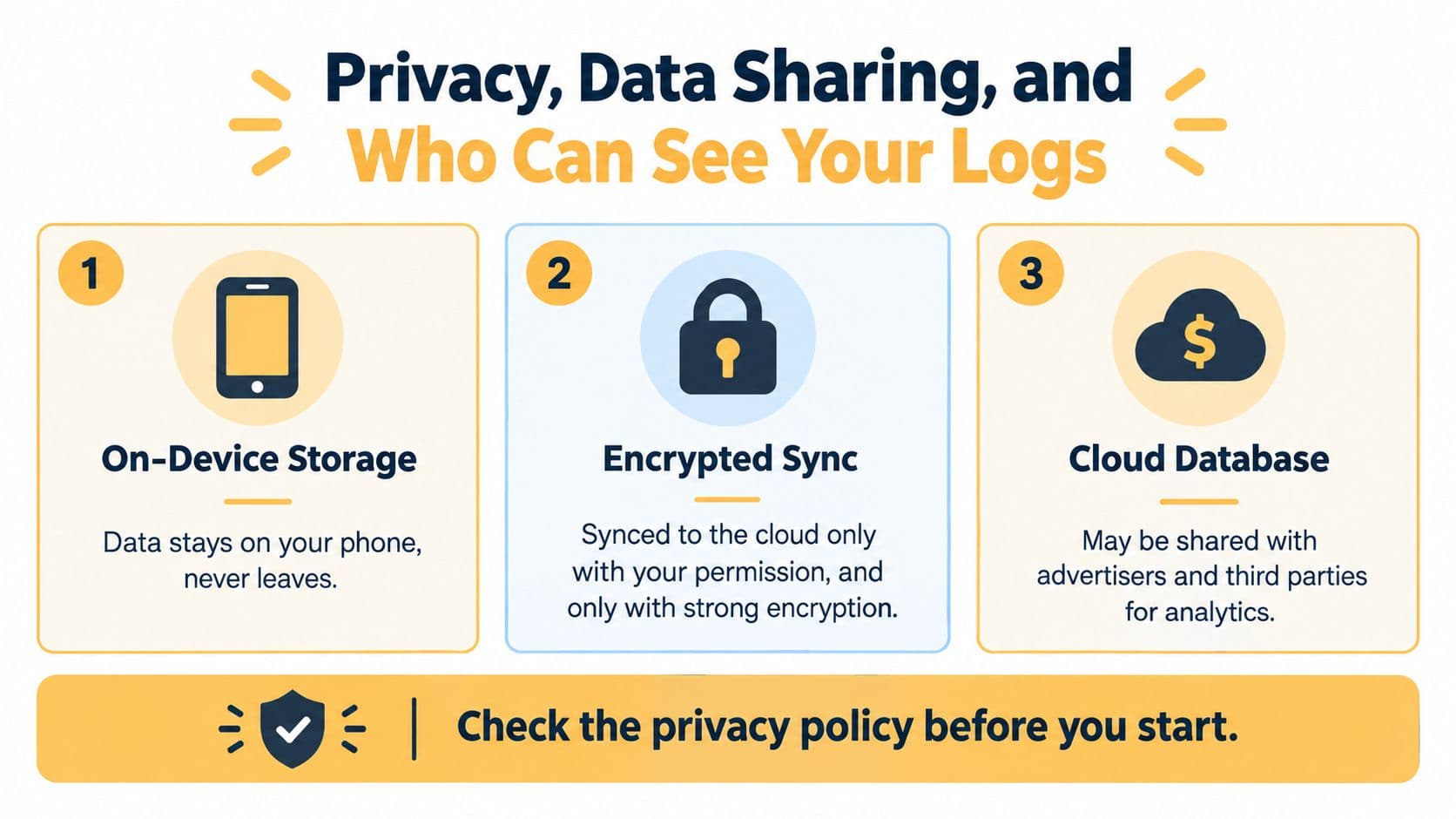
Compare the storage model
On-device storage keeps information on your phone, which can reduce exposure through remote services. It may also limit access across devices or make recovery harder if you lose the phone.
Encrypted sync can make records available across devices while protecting them during transfer and storage. Check whether encryption applies throughout the system, whether syncing is optional, and who holds the encryption keys.
Cloud databases can support dashboards, sharing, backups, and analytics. They also create more places where your information may be processed, so the privacy policy needs to explain those practices clearly.
Use this permission checklist
Before granting access, ask:
- Notifications: Can sensitive medication names appear on a locked screen, or can alerts use neutral wording?
- Health data: Which fields can the app read, and which fields can it write?
- Location: Does the app need location for a feature you use, or is permission unrelated to logging?
- Analytics: Does the policy identify third-party analytics providers and software kits?
- Sharing: Can you choose individual fields, or does sharing expose the entire record?
- Deletion: Can you delete your account and exported copies, and does the policy explain what deletion removes?
Apple Health and Google Fit permissions deserve special attention because synced data can flow into other connected services. Export rights are useful only if the resulting file is readable and deletion controls are genuine.
Integrations That Actually Make the App Useful
An integration should remove work or add context. A logo for Apple Health, Google Fit, or a wearable doesn't tell you whether the connection is useful for migraine management.
Sleep duration, heart rate variability, steps, and menstrual cycles can provide context around an attack, especially when the app places those records beside symptoms and medication timing. Wearables such as Apple Watch, Fitbit, Oura, and Garmin may also provide passive measurements such as heart rate variability, skin temperature, or stress scores.
Those signals are not automatically migraine explanations. Metrics can be noisy, and not every measurement has been validated as a migraine predictor. Treat them as contextual clues, not proof that a specific exposure caused an attack.
| Integration | What it adds | Practical value for migraine |
|---|---|---|
| Apple Health | Centralized health records and selected device data | Useful when sleep, cycles, or activity already live there |
| Google Fit | Health and activity data from supported services | Helpful if your routine depends on Android-compatible sources |
| PDF export | A portable report for appointments | Practical when a clinician needs a readable history |
| FHIR endpoint | Structured exchange with compatible clinical systems | Valuable only when your care team can receive it |
| Shared dashboard | Ongoing access for a clinician or caregiver | Helpful when permissions and field-level controls are clear |
| Apple Watch or other wearable | Passive signals and notification access | Useful for reducing phone handling, but only if alerts are configurable |
Judge the connection by its output
A substantive integration should tell you exactly what data it imports, how often it updates, and where the information appears. It should let you disconnect access without deleting your migraine history.
Clinician sharing needs the same clarity. A PDF with dates, severity, duration, symptoms, and medications may be more useful at an appointment than a complicated dashboard your clinician can't access. A structured clinical connection can be valuable, but only if the receiving system supports it.
Don't collect every available metric because you can. More data can make patterns harder to interpret when the app doesn't distinguish a meaningful signal from a routine fluctuation.
For a closer look at connecting health records with symptom tracking, see this guide to health data integration.
Setting Up Your App for Real-World Migraine Days
The setup determines whether you'll still use the app when the next attack arrives. Configure it for the version of you who has pain, light sensitivity, limited concentration, and no patience for a long form.
Set reminders around your actual routine
Use separate schedules for preventive medication and as-needed treatment. A preventive reminder may need a consistent time, while an acute-treatment entry needs a fast way to record when symptoms begin.
Set a lead time that helps you prepare, choose a snooze length you can tolerate, and create quiet hours that protect sleep. Avoid alerts that reveal medication names on your lock screen if privacy matters to you.
Build a minimum viable log
Start with the fields you can complete quickly:
- Attack timing: Record when symptoms began and when they ended.
- Severity: Use the same scale each time.
- Symptoms: Select the symptoms that distinguish your attacks, such as aura, photophobia, nausea, dizziness, or sound sensitivity.
- Possible triggers: Choose from a short custom list.
- Medication: Record what you took, when you took it, and whether it was preventive, abortive, or rescue treatment.
Add prodrome and postdrome details when you have the energy. Prodrome entries might include early changes you recognize before pain, while postdrome entries can capture fatigue or cognitive difficulty after the pain resolves. The aim is consistency, not an exhaustive journal.
Make common triggers one tap away
Create categories for weather, screen exposure, missed meals, sleep disruption, hormonal timing, strong light, flickering light, and schedule changes. Don't treat these as universal causes. A trigger library should help you record what happened, not tell you what must have caused the attack.
Use week one as a test period. Log a few ordinary days and an attack if one occurs, review the history, export a sample report, and remove fields that slow you down without adding useful information.
Matching the App to Your Migraine Pattern
There isn't one correct medication tracking app for every migraine experience. Your pattern determines whether you need speed, detail, reminders, environmental context, or clinician-ready reporting.
| Migraine Pattern | Priority Features | Reminder Style | Reporting Need |
|---|---|---|---|
| Occasional episodic attacks | Fast attack entry, medication association, trigger notes | Lightweight and event-based | Simple timeline |
| Chronic migraine | Trend dashboards, headache-day rollups, medication history | Preventive schedules plus flexible acute logging | Detailed summaries for appointments |
| Migraine with aura | Separate aura fields and phase tracking | Quiet alerts that don't add sensory burden | Symptom and timing history |
| Vestibular migraine | Dizziness, balance, visual, and sensory symptom fields | Minimal interaction during symptoms | Clear symptom progression |
| Menstrual-related pattern | Cycle timing, attack dates, medication context | Predictable reminders with flexible adjustments | Cycle and attack comparison |
| Multiple preventives or rescue treatments | Medication categories, formulation details, interaction-aware history | Separate schedules and as-needed prompts | Medication-specific summaries |
| Caregiver-supported tracking | Shared reports, low-effort entry, permission controls | Optional caregiver notifications | Exportable clinician record |
Episodic attacks need speed
If attacks are occasional, a full clinical dashboard may create more work than value. Choose an app that lets you record onset, severity, symptoms, trigger possibilities, and medication without navigating several screens.
For chronic migraine, history matters more. You need to see whether attack duration, severity, medication frequency, and symptom patterns are changing over time. A reliable export can help you and your healthcare provider discuss those changes without relying on memory.
Phase-specific logging matters
People with aura need a way to distinguish aura from the pain phase. Someone with vestibular symptoms may need fields for dizziness, balance disruption, or visual sensitivity that a generic headache form overlooks. Your app doesn't need every possible symptom, but it must let you record the features that define your own attacks.
Hormonal timing also deserves a dedicated field if you notice a recurring relationship with your cycle. Record the timing without assuming that every monthly pattern has the same explanation.
A parent or caregiver supporting another person needs a different design. Shared reports, minimal data entry, and clear permission controls may matter more than a large trigger library.
Research supports the general direction, while also demanding sensible expectations. A 2023 randomized study in a medically underserved chronic-illness population found higher adherence and medication self-efficacy compared with control, with adherence reported at Cohen's d = -0.52, p = .014 and self-efficacy at Cohen's d = 0.43, p = .035. Read the randomized study of a medication adherence mobile app. Those results support app-based tracking as a potentially useful aid, not a guarantee that every app or feature will improve your migraine experience.
A 2025 review found that users wanted richer outputs including tracking history, charts, statistics, exportable files, professional feedback, and an easy way to discuss logs with a clinician. The review also noted that evidence for adherence apps remains mixed and that many studies are low quality, so convenience shouldn't be confused with proven effectiveness. Review the evidence and desired features identified in freely available adherence apps.
The right choice is the app you'll use during both ordinary days and painful ones. Start with a short medication list, a small trigger library, and phase-aware symptom fields, then keep only the data that helps you recognize patterns or communicate clearly with your healthcare provider.
This guide is general information, not medical advice, and it isn’t a diagnosis. Talk to your doctor about your own headaches.